4Pockets SpectraPad Builds Sounds from the Spectrum Up on iPad

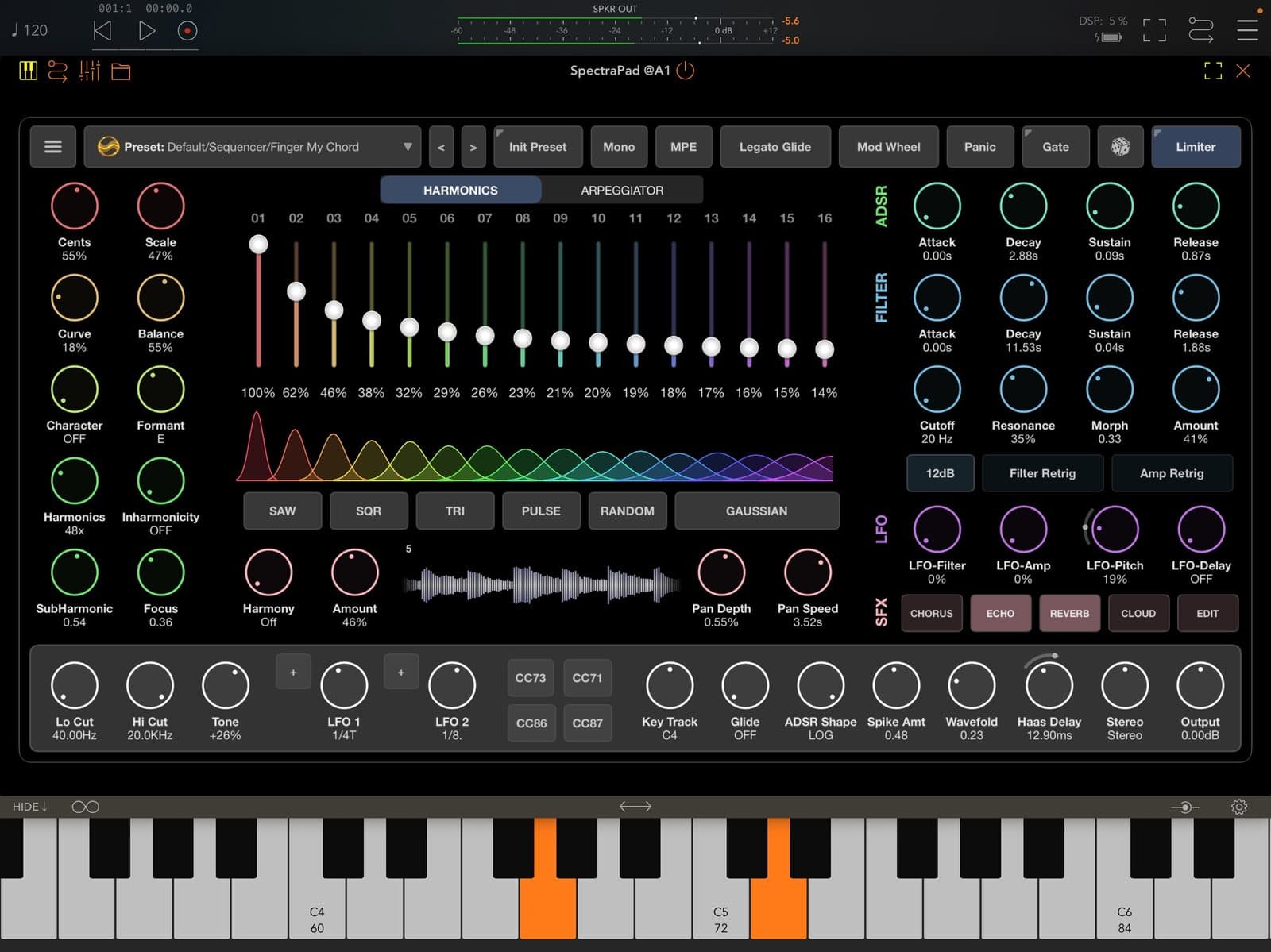
Conventional synthesis often starts with a waveform. SpectraPad, the latest release from UK developer 4Pockets, turns that around. Its App Store listing puts it this way: "With a conventional synthesizer you often begin by choosing a waveform. With SpectraPad, the waveform is effectively the result of everything you do to the spectrum." The app arrived on 1 November for iPad, and version 1.0.1 followed on 3 November with the note "Fixed a couple of minor errors with setting up effects."
4Pockets has a long iOS catalogue, and its App Store developer page includes AUv3 effects such as the algorithmic reverb EverSpace and the multi-head tape delay HeadStack. SpectraPad is a synth rather than an effect, but the listing makes a point of saying that the underlying technique shouldn't put anyone off: "SpectraPad has been designed so that you don't need to understand spectral synthesis to enjoy it."
The demo below comes from The Sound Test Room on YouTube. It is a third-party video, not an official one from 4Pockets.
Starting from the harmonics
At the heart of SpectraPad is a set of harmonic partials. Synth Anatomy, which covered the release on 2 November, reports 16 of them, each with its own slider, and a scale function that keeps the partials musically in tune. The App Store listing describes control over the number, level and distribution of those partials. Those controls put the harmonic structure at the centre of sound design.
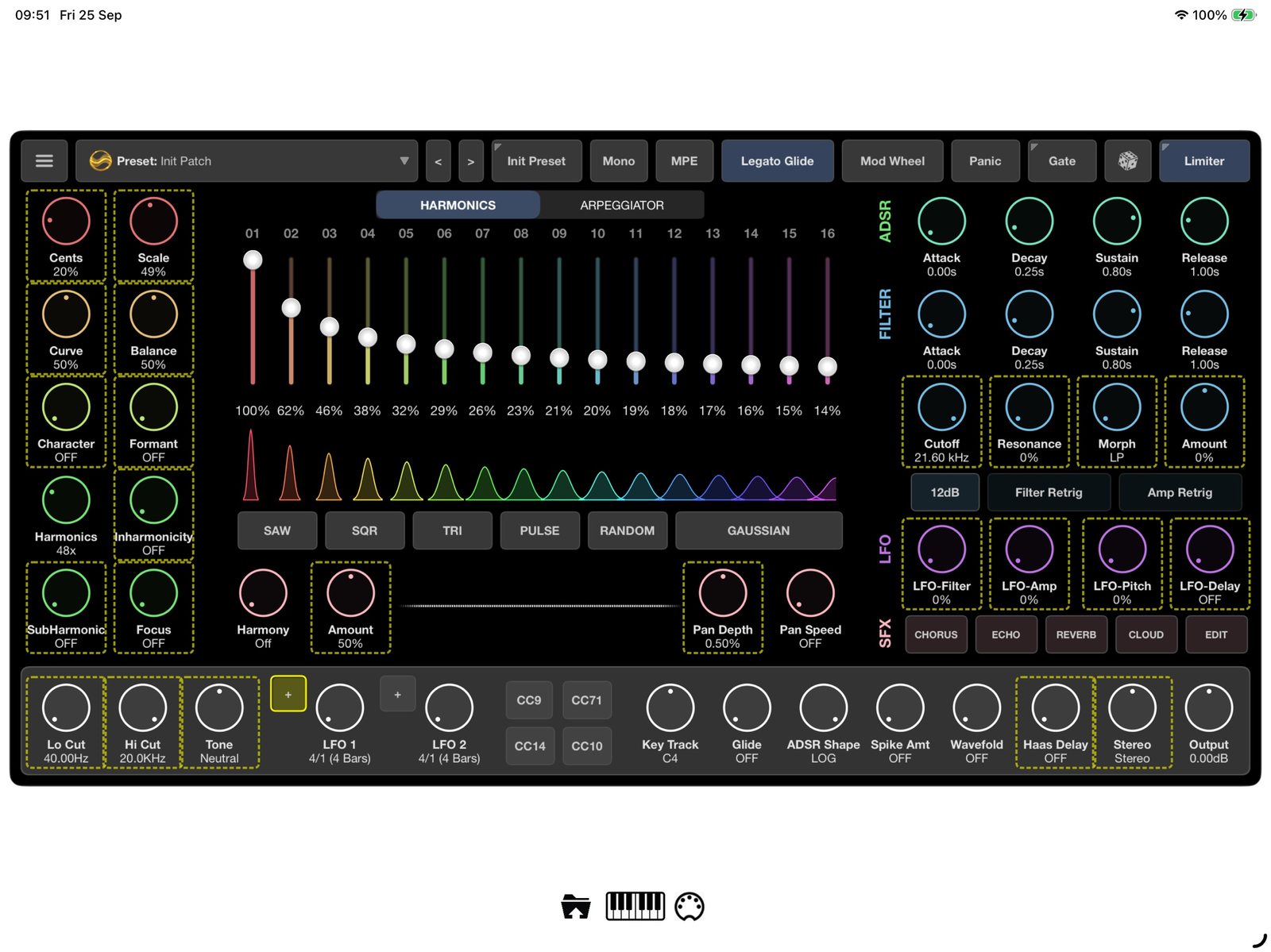 The HARMONICS page: 16 sliders, a spectrum display, distribution presets and the Curve, Balance, Focus, Formant and Inharmonicity knobs. Image: 4Pockets / App Store
The HARMONICS page in the official screenshots shows the controls. Above the sliders sits a spectrum display, and a row of buttons is labelled SAW, SQR, TRI, PULSE, RANDOM and GAUSSIAN. Synth News, reading the same screenshot on 3 November, describes these as distribution presets. The first four echo familiar waveform names.
Curve, focus and formants
Setting sixteen sliders by hand is one way in, but the listing also describes broader controls that reshape the whole spectrum at once. Harmonic Curve and Balance tilt and reshape it. Spectral Focus concentrates that energy or spreads it out. Formant shaping introduces A, E, I, O and U vowel characters, which the listing describes as a way to create vocal and organic timbres.
The listing also describes Subharmonic & Harmonies, for weight below the fundamental and upper harmonies. Synth News points to an inharmonicity setting for bell-like tones.
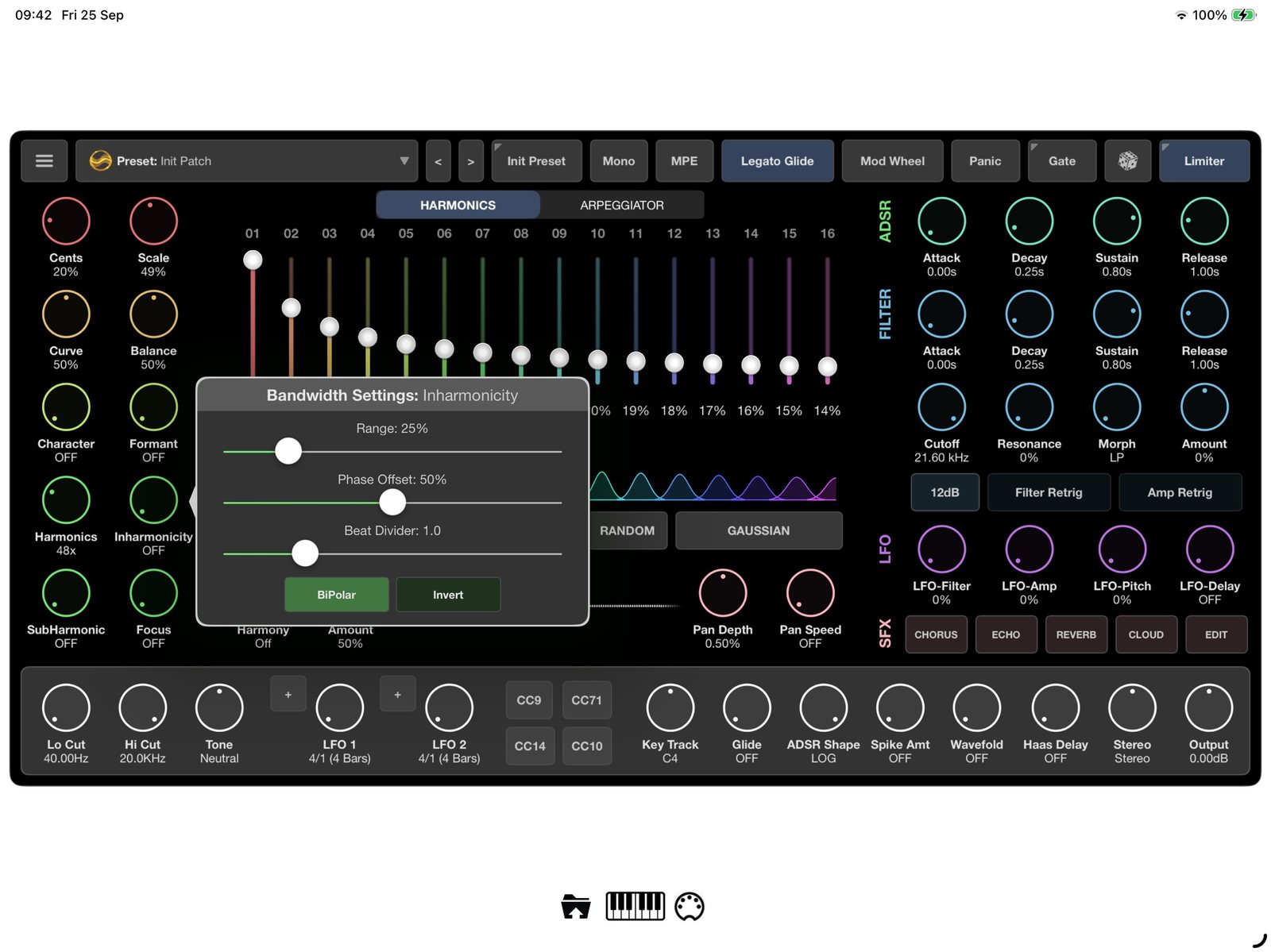 The "Bandwidth Settings: Inharmonicity" dialog, with its own set of sliders. Image: 4Pockets / App Store
The screenshots show a "Bandwidth Settings: Inharmonicity" dialog with a further set of sliders. The listing doesn't go into detail about what each of those sliders does.
Filter, envelopes and modulation
Alongside the spectral controls, SpectraPad includes a filter, envelopes and LFOs. Synth Anatomy describes a multimode filter with cutoff, resonance and morphing, while Synth News reads the screenshot as a 12 dB filter with resonance and morph and its own envelope. Synth Anatomy also reports ADSR envelopes and LFOs, while Synth News lists the LFO destinations as filter, amp and pitch.
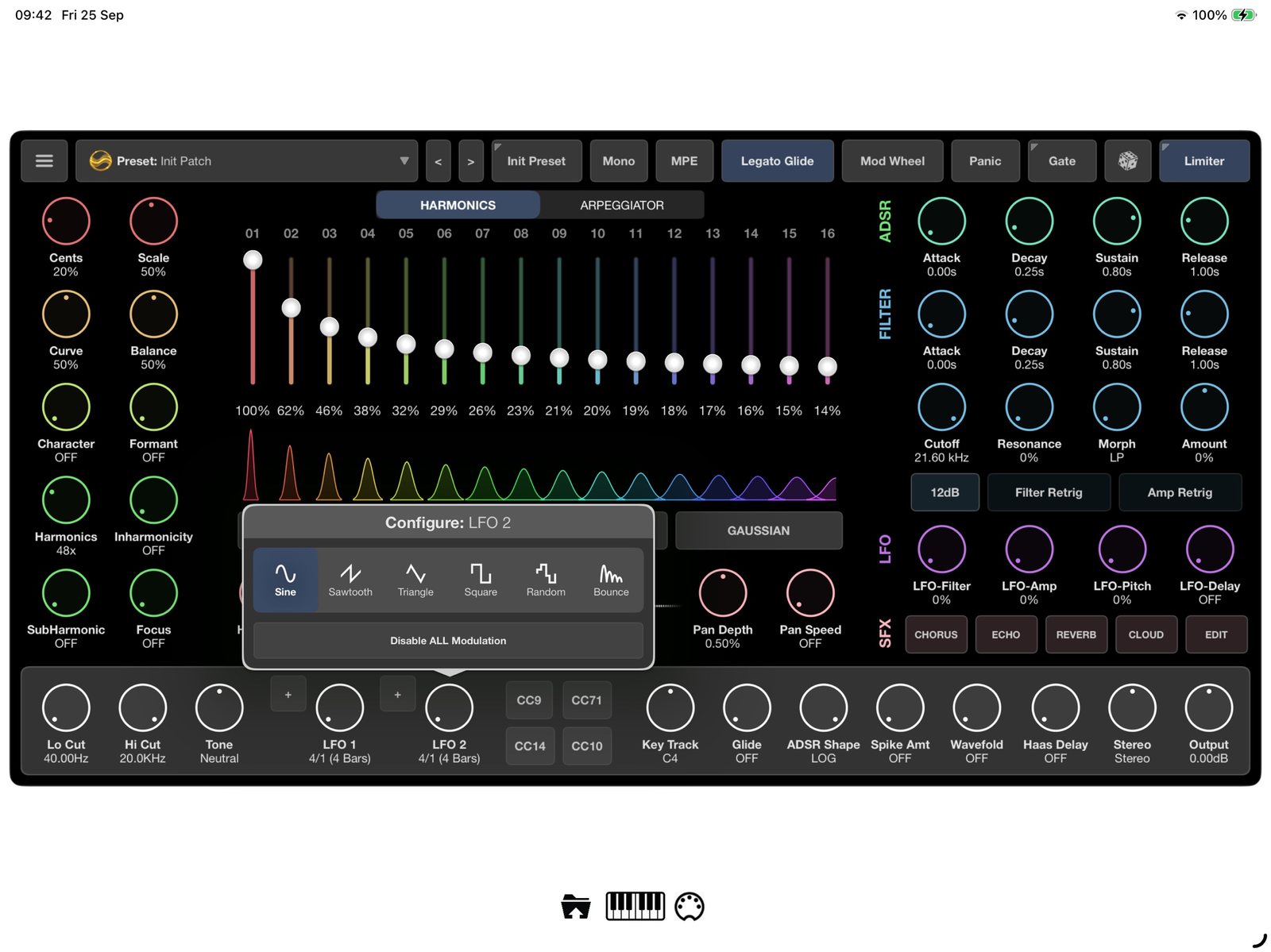 "Configure: LFO 3", the waveform picker for one of the LFOs. Image: 4Pockets / App Store
The App Store listing itself talks more generally about envelopes, LFOs and modulation, and says many parameters can be automated. Synth Anatomy adds MPE and MIDI CC support, and Synth News spotted an MPE button in the official screenshots.
Arpeggiator, gate and effects
The listing mentions a built-in stereo arpeggiator and a gate. The ARPEGGIATOR page in the screenshots uses step sliders, and the gate has its own "Audio Gate" dialog.
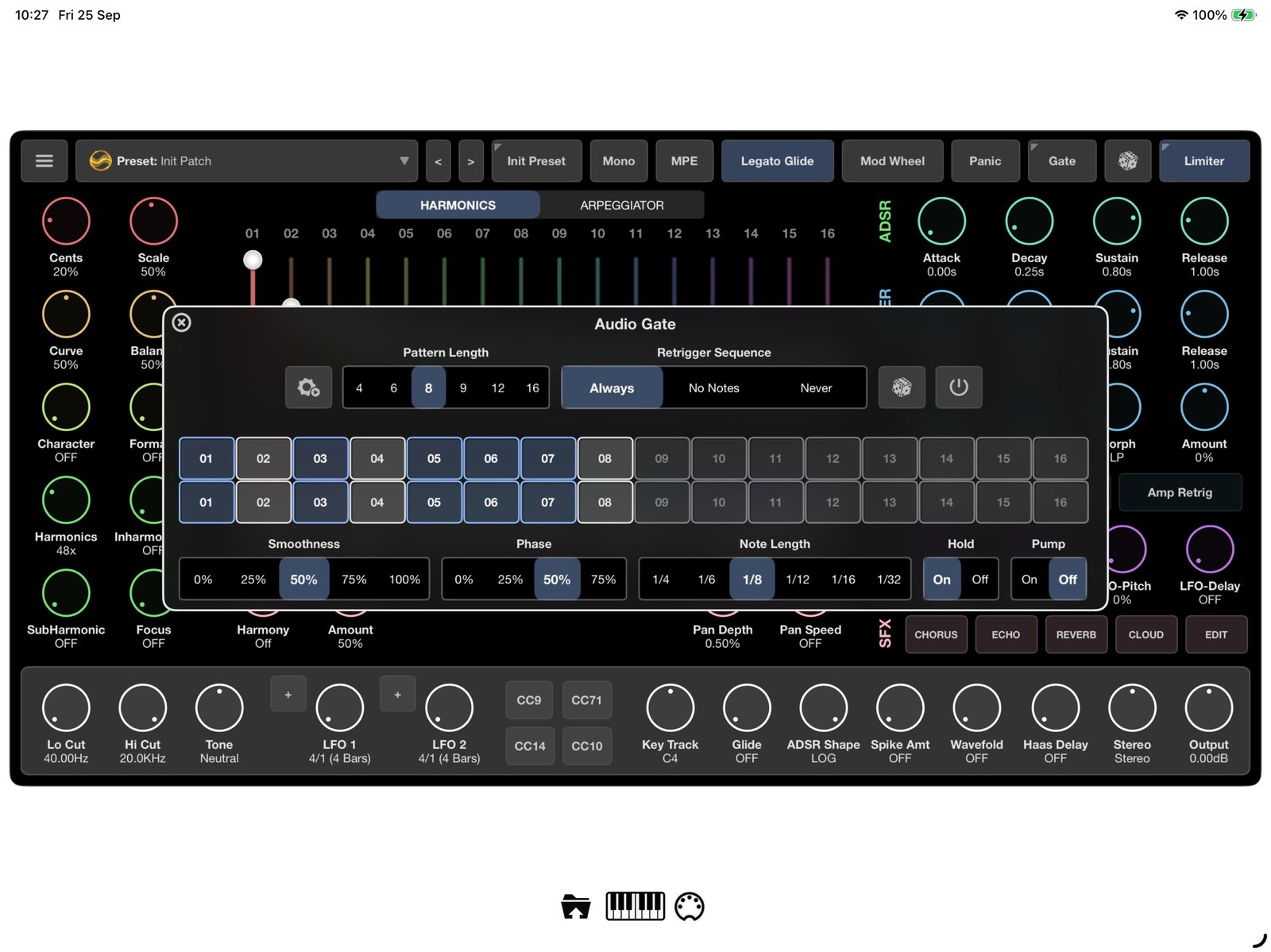 The "Audio Gate" dialog, with pattern length, retrigger, a step grid, phase and note length. Image: 4Pockets / App Store
The listing describes the ARP and GATE sequencing as a way to turn held notes into rhythmic and melodic patterns.
For effects, the listing names stereo delay, stereo echo and cloud, and promises that you can "Dial in authentic tape echoes, lush ambient delays, or push the engine into unpredictable granular and feedback-driven territories". Synth News's reading of the screenshot lists chorus, echo, reverb and cloud effects. For more on granular effects, our Celestine granular AUv3 piece covers a dedicated effect in that area.
A busy season for spectral synths
SpectraPad isn't arriving alone. Synth Anatomy notes that Audiothing's Materia, which turns samples into additive partials, came to iOS the same weekend, and suggests that additive and spectral synths are having a moment in 2026. The descriptions point to different starting material: samples in Materia, and harmonic controls in SpectraPad.
Compatibility and availability
SpectraPad costs US$9.99 on the App Store, with no in-app purchases listed. The listing says it is on offer for its first month. It requires iPadOS 15 or later and is iPad only; there is no iPhone version, which users in the Loopy Pro forum thread have already asked about. It also runs on Apple silicon Macs (M1 or later, macOS 12) as a "Designed for iPad" app, which Apple marks as "Not verified for macOS", and visionOS is listed too.
Synth Anatomy reports that SpectraPad runs standalone and as an AUv3 on iPadOS and macOS. The App Store listing doesn't mention AUv3, so it's worth checking that it appears in your host before planning a session around it. We haven't tested SpectraPad ourselves yet. It is available now on the App Store.