Moog Grandmother Emulation for iPad: SM-1 Brings Moog Matriarch Modules and More

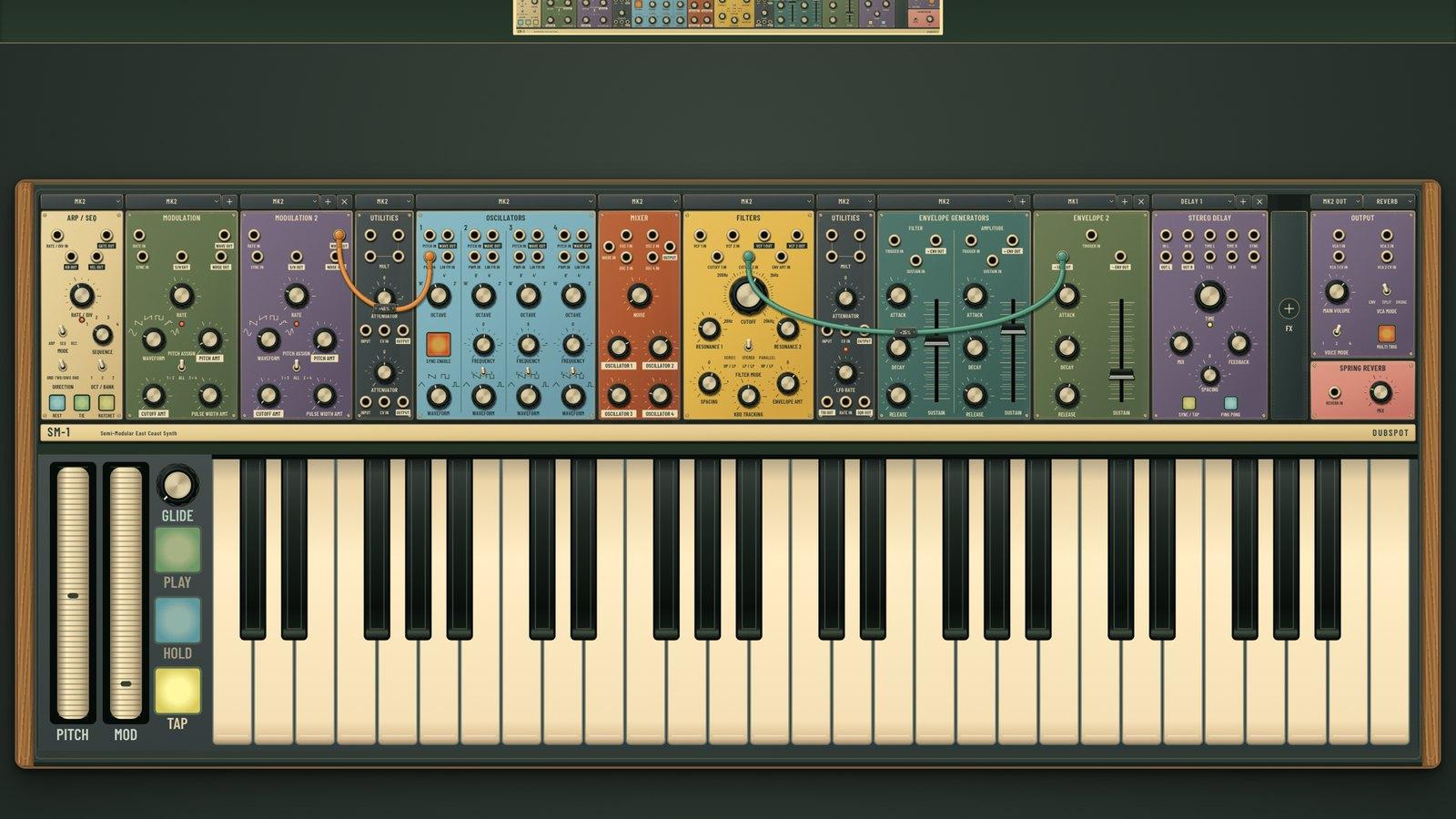
If you've wanted a Moog Grandmother on your iPad, with its structured synth voice, patch bay and spring reverb, Dubspot's SM-1 is built for you. SM-1 is an emulation of Moog Grandmother and Matriarch modules and components, set out as a semi-modular rack for iPad and iPhone. It follows the East Coast tradition of subtractive synthesis, and you drag audio and control cords across the modules to patch it. It runs standalone or as an AUv3 instrument inside your DAW, and it landed on the App Store today.
A semi-modular lets you play and patch in the same instrument. SM-1 puts on-screen playing controls alongside audio and control patch cords, so you can rewire it whenever you like.
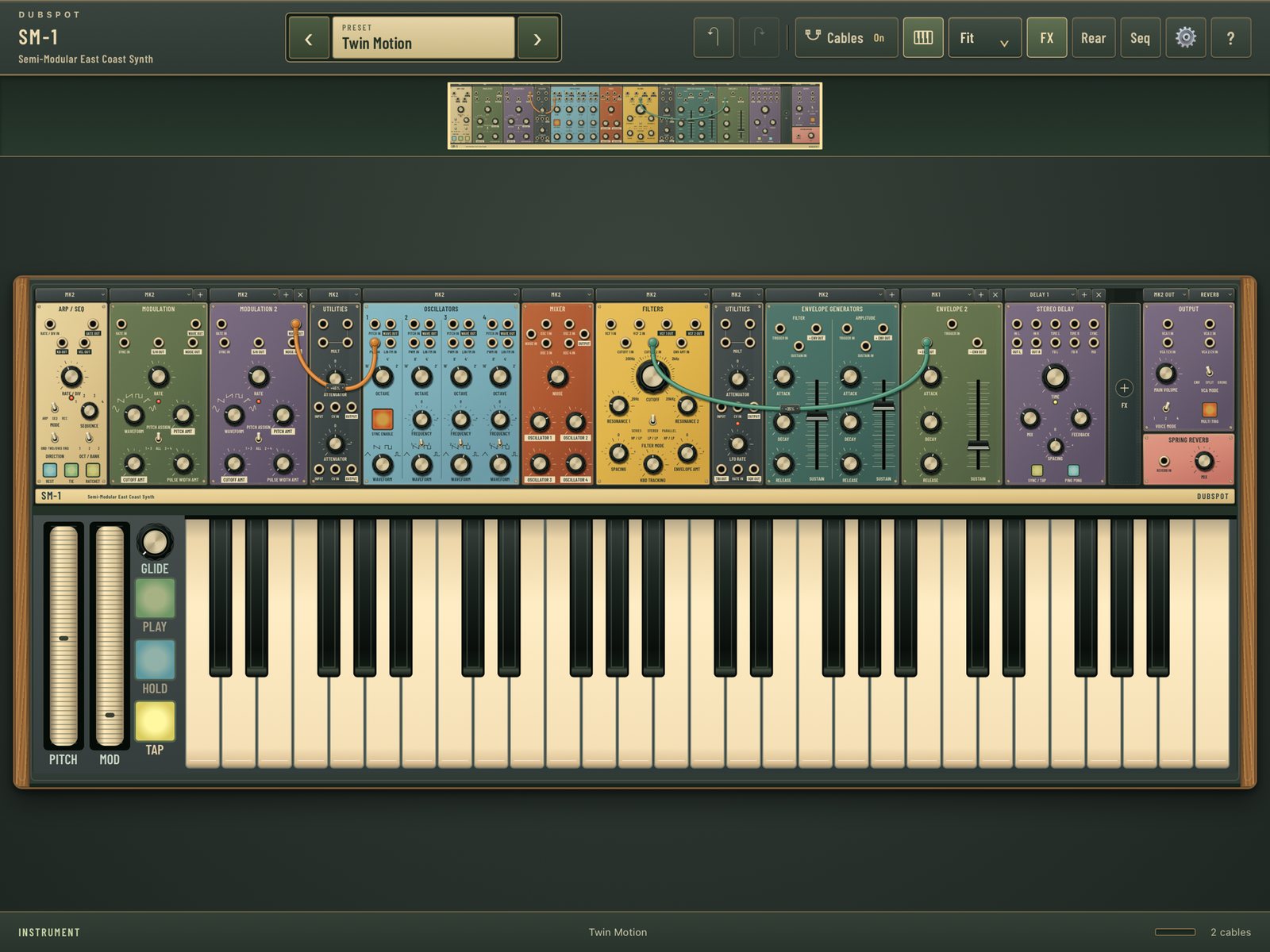 The "Twin Motion" preset in SM-1's rack. Image: Dubspot / App Store
What SM-1 emulates and how it flows
At its core SM-1 is a Moog East Coast voice built from emulated Grandmother and Matriarch modules. These include oscillators, a mixer, resonant filters, and dedicated filter and amplitude envelopes. The oscillators have oscillator sync and pulse-width modulation, the two tools behind countless leads and moving pads. You can add extra modulation and envelope modules when a patch needs more movement, and an ARP/SEQ module handles arpeggios and step sequences.
You configure the rack yourself. Oscillators, filters, modulation, envelopes and other sections come as interchangeable MK1 and MK2 modules, so you pick which version fills each slot. You can also add several modulation and FX modules, change panel colours and save your own sounds.
The effects section completes the instrument. Spring Reverb is always available. You can add the emulated Moog Matriarch Delay for stereo echoes, or Grains (Beads emulation), SM-1's emulation of Mutable Instruments Beads, for granular textures, clouds of grains and evolving layers.
The Twin Motion preset shows a full rack. It has ARP/SEQ, two MODULATION modules and utilities with an attenuator, plus oscillator, mixer, filter, envelope and effects modules including STEREO DELAY, OUTPUT and SPRING REVERB. Each module carries an MK1 or MK2 tag.
Patching
You patch by dragging cords between audio and control connections. Every cord has its own level, polarity and colour, so you can set modulation depth right at the cable and colour-code a busy patch. To disconnect, pull one end free. When an instrument grows wider than the screen, the rack overview helps you find your way around. The top bar holds Cables On, keyboard, Fit, FX, Rear and Seq controls. The PITCH and MOD wheels run down the left side with GLIDE, PLAY, HOLD and TAP buttons, and the in-app control guide explains the rest.
Platforms, MIDI and AUv3
SM-1 runs on iPhone and iPad with iOS or iPadOS 16 or later. As an AUv3 instrument it loads into any compatible host, which handles MIDI routing and saves the instrument with your project. In the standalone app you choose MIDI inputs and channels, and both USB and Bluetooth MIDI controllers work. There's also an on-screen keyboard with pitch and mod wheels. Factory presets are included, and there's no account, no subscription and no in-app purchases. Dubspot sells the desktop SM-1 as a separate product. Everything here describes the iOS app.
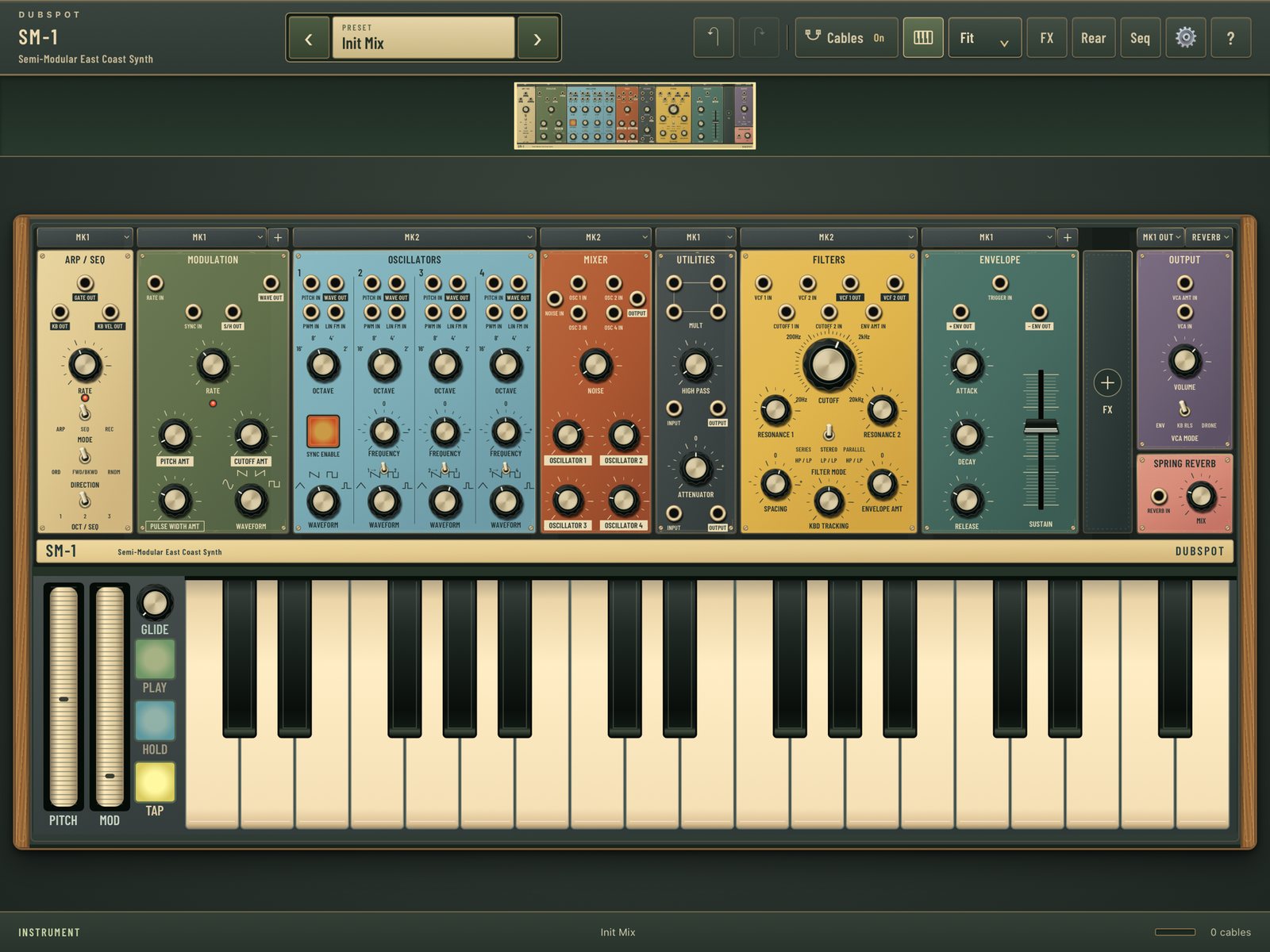 SM-1's instrument view on iPad. Image: Dubspot / App Store
Is SM-1 a Moog Grandmother emulation?
Yes. SM-1 emulates Moog Grandmother and Matriarch modules and components, and it lets you arrange them in a rack you can reshape.
Moog's Grandmother is a two-oscillator monophonic semi-modular with a ladder filter, a hardware spring reverb and 41 patch points. It's designed around a normalled voice you can play straight away, plus a patch bay for breaking and rerouting those connections. SM-1 brings that Grandmother voice to iOS through its emulated modules. You get oscillators with sync and PWM, a mixer, resonant filters, envelopes, an arpeggiator and sequencer, and the always-available Spring Reverb, all linked by audio and control patch cords.
Where SM-1 goes beyond a single Grandmother panel is the rack. Grandmother's layout is fixed. In SM-1 you swap between MK1 and MK2 modules and add modulation and FX modules as the patch grows. Grandmother stops at spring reverb, while SM-1 also offers the emulated Matriarch stereo Delay and Grains (Beads emulation), which take a Grandmother voice into ambient and textural territory. Because SM-1 runs as an AUv3, you can also load it as an instrument in a compatible host, right inside your DAW projects.
SM-1 as a Moog Matriarch emulation on iPad
Matriarch is Grandmother's bigger sibling. It has four oscillators playable in mono, duo or four-note paraphonic modes, dual ladder filters, a stereo analog delay and 90 patch points. It's built for big, layered patches and deep cross-modulation.
SM-1 emulates Matriarch modules too, and the stereo delay is the clearest example. The emulated Moog Matriarch STEREO DELAY sits in the rack next to SPRING REVERB. The Twin Motion preset fills the rest of the rack with modulation, utility and envelope modules, the dense, patch-heavy style Matriarch players like. Matriarch's feature set is fixed in hardware, but in SM-1 you can add more modulation modules and choose which MK version fills each slot. Grains (Beads emulation) also gives SM-1 a granular texture tool that sits alongside the emulated Matriarch delay. If you want Matriarch modules on an iPad, in a semi-modular you can expand, SM-1 is the app to reach for.
Musical applications and patch ideas
SM-1 covers the classic Moog semi-modular ground: basslines, sync leads, sequenced ostinatos and slow pads. Its effects take it further into ambient music and sound design. Here are three places to start.
Try a sync lead. Turn on oscillator sync, then work the filter envelope amount and resonance while you play. Experiment with GLIDE as you play. Change one control at a time and listen to how each one shapes the attack and tone.
Try PWM motion. Patch a modulation source to pulse width and start with a low cord level, then bring it up gradually. Next, experiment with the cord's polarity. In general synthesis terms, inverting a modulation signal flips it. With a symmetric, repeating LFO that mostly amounts to a phase shift, so the change can be subtle. With an envelope, inversion turns a rising sweep into a falling one. Try both on the same patch and compare.
Try granular textures. Switch on Grains (Beads emulation) and hold long notes. Let the sustained voice from the emulated Grandmother modules break into granular textures, shimmering clouds and evolving layers. Then swap in the emulated Matriarch Delay, or run the patch through the Spring Reverb alone, and compare how each one changes a sustained sound.
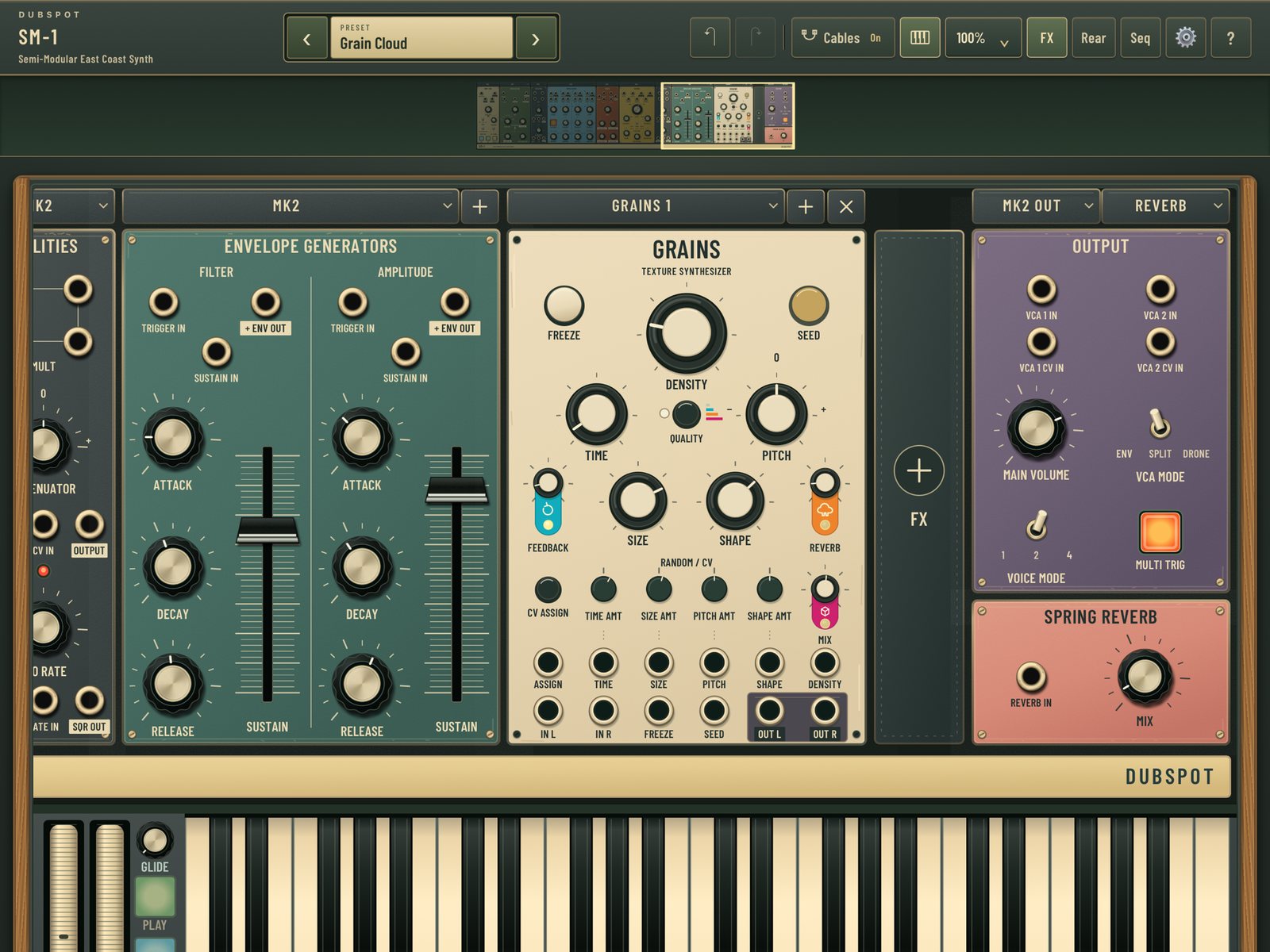 SM-1's Grains effects screen. Image: Dubspot / App Store
What it costs, in context
US prices as of 7 November 2026: SM-1 is $9.99 on the US App Store. A Matriarch Dark is $1,899.00 at Guitar Center, and a Moog Grandmother is listed at $999.00 at Sweetwater.
The Moogs are analog hardware with keys, jacks and physical effects. SM-1 emulates their modules in software on a touchscreen. For about a hundredth of the price of a Grandmother, you can patch Grandmother and Matriarch modules on the iPad or iPhone you already own and take them into your DAW.
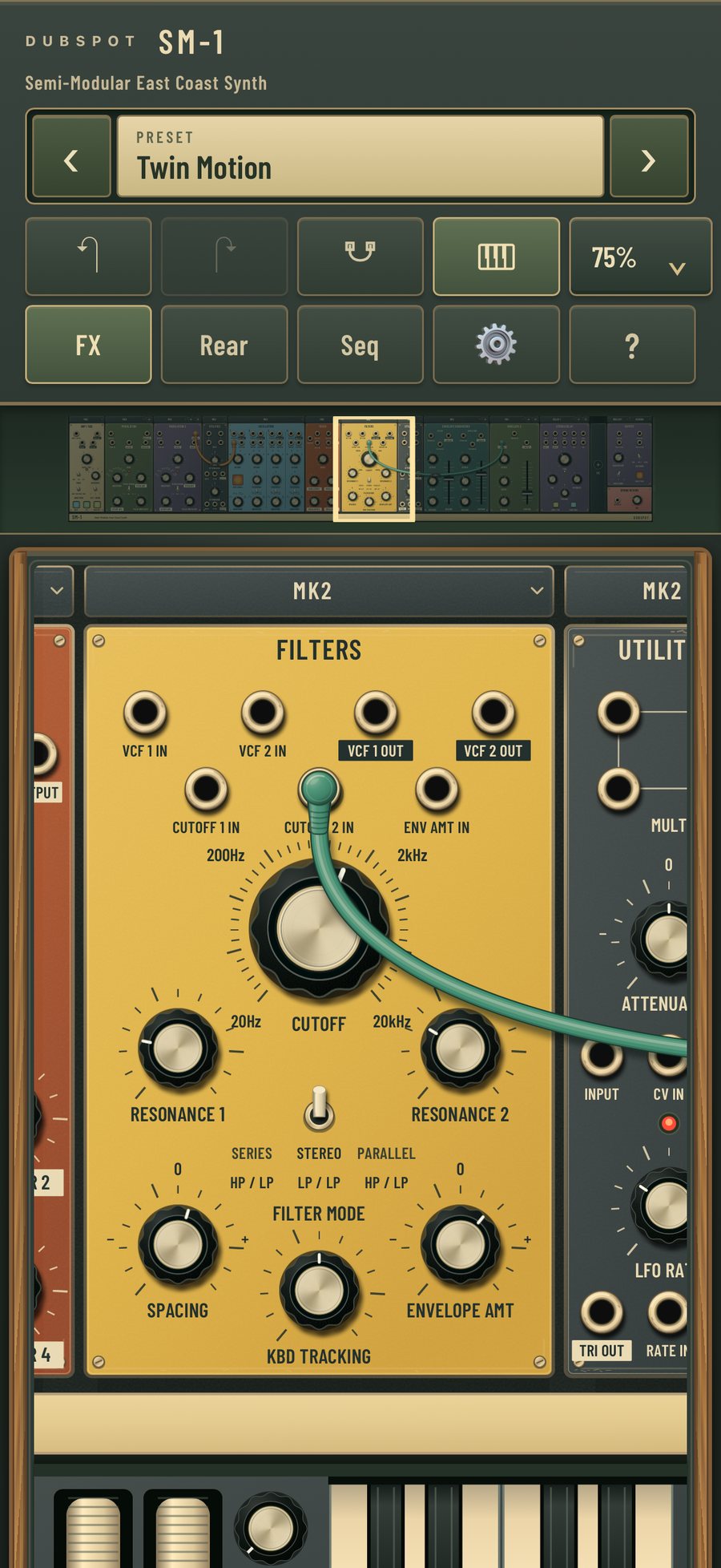 SM-1 in portrait mode on iPhone. Image: Dubspot / App Store
How it compares
Minimoog Model D by Moog Music ($29.99). Moog's software version of the Minimoog Model D. Choose it if the Model D is the instrument you want. Choose SM-1 if you want Grandmother and Matriarch modules with cords and a rack you can reshape.
Model 15 by Moog Music ($29.99). Moog's patchable recreation of its Model 15 modular. SM-1 sits between the two apps. It emulates the semi-modular Grandmother and Matriarch, with on-screen playing controls and audio and control patch cords in an expandable rack.
miRack. MIFKI's Eurorack-style modular environment is an open-ended playground. SM-1 is more focused, with a curated rack of emulated Grandmother and Matriarch modules in MK1 and MK2 versions, plus Grains (Beads emulation).
Who it's for
- Grandmother and Matriarch fans who want those modules on iPad or iPhone.
- Players new to patching who want a structured Moog voice with on-screen playing controls and audio and control patch cords.
- Mobile producers who want a Moog emulation running as an AUv3 instrument in their DAW.
- Ambient and sound-design artists drawn to Grains (Beads emulation), the Spring Reverb and the emulated Matriarch Delay.
If you're after the Model D or Model 15 specifically, go to those apps. For a Grandmother and Matriarch emulation on iOS, SM-1 is the direct pick.
FAQ
Is SM-1 a Moog Grandmother emulation? Yes. SM-1 emulates Moog Grandmother and Matriarch modules and components. It has oscillator sync, PWM, resonant filters, envelopes, a sequencer, an always-available Spring Reverb and patch cords, all in a rack of interchangeable MK1 and MK2 modules.
Is there a Moog Matriarch app? SM-1 emulates Matriarch modules on iPad and iPhone, including an emulated Matriarch stereo delay. You can expand the rack with more modulation and FX modules, including Grains (Beads emulation).
What is Grains in SM-1? Grains (Beads emulation) is SM-1's emulation of Mutable Instruments Beads. It's a granular effect for textures and evolving layers, offered alongside the emulated Matriarch stereo delay.
Does SM-1 run on iPhone and iPad? Yes. SM-1 runs on both iPhone and iPad and requires iOS or iPadOS 16 or later.
Is SM-1 an AUv3 plugin? Yes. SM-1 loads as an AUv3 instrument in compatible hosts and also runs as a standalone app with USB and Bluetooth MIDI support.
Does SM-1 need a subscription or have in-app purchases? No. SM-1 is a one-time $9.99 purchase with no account, no subscription and no in-app purchases.
Verdict
SM-1 brings emulated Moog Grandmother and Matriarch modules to iOS. You get a classic East Coast voice and a rack you can reshape with interchangeable MK1 and MK2 modules. Cords have their own level and polarity, and the effects run from the always-available Spring Reverb to the emulated Matriarch stereo Delay and Grains (Beads emulation). Add AUv3, MIDI controller support and a one-time price with no strings attached, and it's an easy recommendation for anyone who wants to patch Moog modules on an iPad or iPhone.