GENOME 2.2 Makes Two notes' iPad Rig an AUv3 Guitar Amp Sim, With Live Mode and Scenes

When Two notes Audio Engineering brought GENOME to iPad on June 18, it arrived as version 2.0 and as a complete rig: amps, pedals, cabinets and studio effects in one app. There was one big limitation. It ran standalone only. You could play through it and build tones in it, but you couldn't put it on a track in your DAW.
Version 2.2, released November 12, removes that limitation. GENOME Amp Simulator now runs as an Audio Unit as well as a standalone app, in all three tiers: GENOME Intro iOS, GENOME iOS and GENOME Suite iOS. The same update adds a full Live Mode with setlists and custom tile layouts, Scenes that switch without gaps, spillover between RIGs and a Global EQ. Put together, the update makes GENOME useful in the studio and on stage.
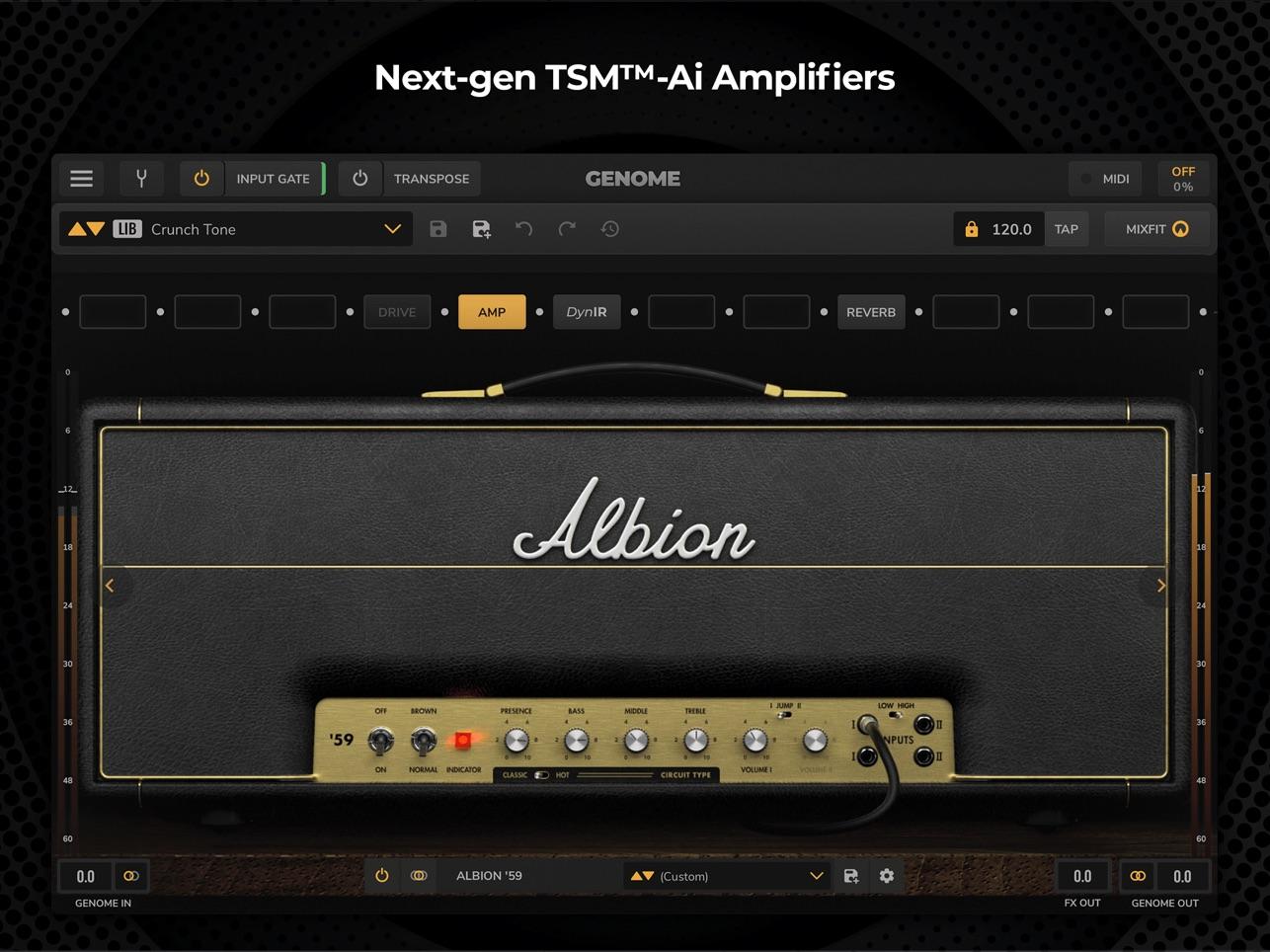
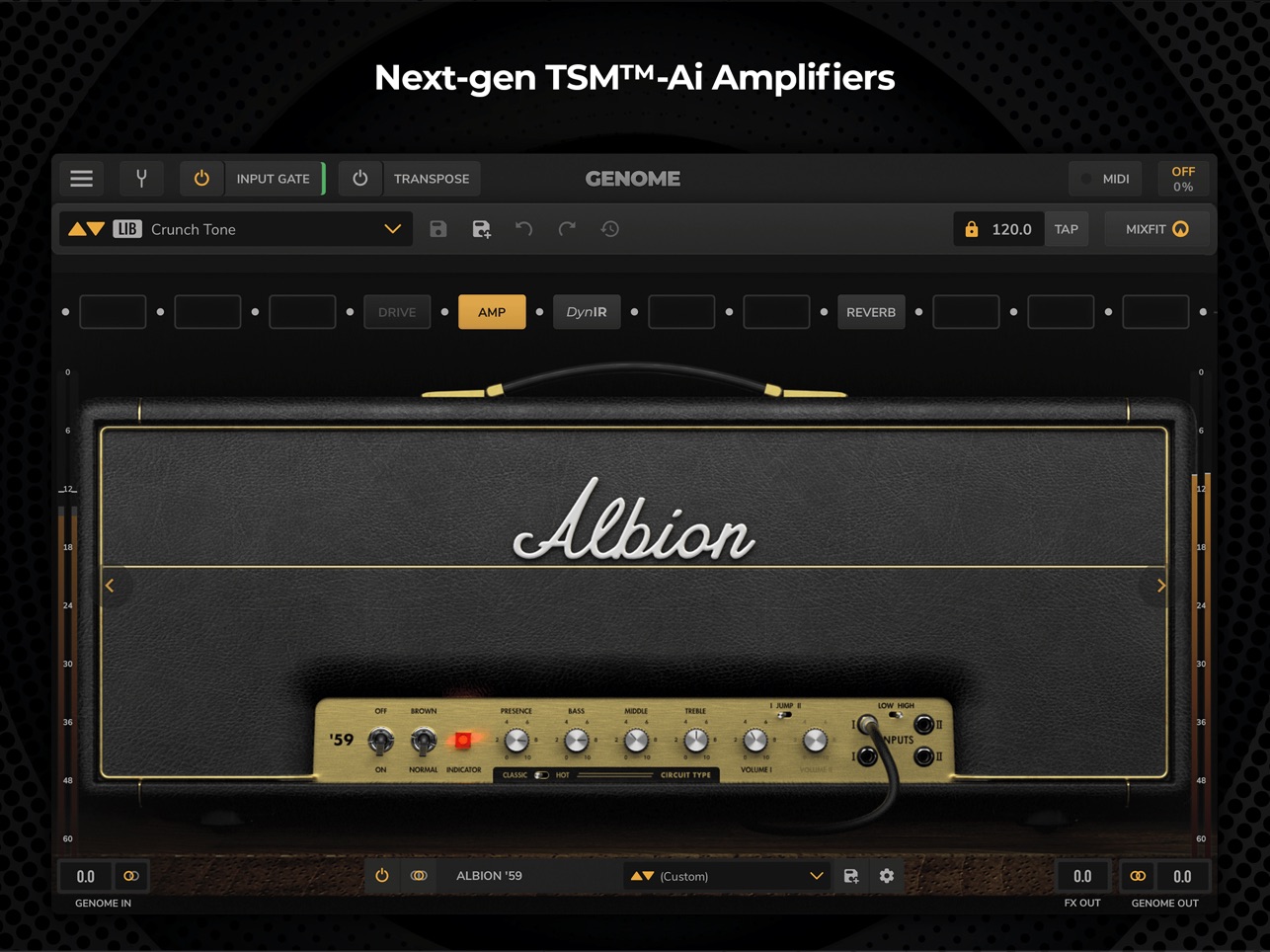 GENOME's main screen: the signal-chain row across the top, a TSM-Ai amp head below, with Input Gate, Transpose, MIXFIT and tap tempo close at hand. Image: Two notes Audio Engineering
What GENOME is
GENOME is a modular platform for guitar and bass. You build a RIG from components and lay them out along a signal chain: drive, dynamics and enhancer pedals, an amp, a cabinet, then studio effects such as reverb. Chains can split into parallel paths, so you can send one signal to two cabinets or treat one path differently from the other.
The amps are TSM-Ai models, built to recreate an amplifier's feel and response across its whole operating range. Version 2.1 added more amp components inspired by classic guitar and bass amps, so bass players have their own options.
Cabinets use Two notes' DynIR technology, which is built around microphone placement: pick a mic, set its distance and axis on the speaker, and blend two of them. The cab browser has separate Guitar and Bass tabs and a library of 760 cabinets.
MIXFIT sits on the main screen and helps a tone sit in a track. The paid tiers add two more tools. PARADEX loads multi-parametric AmpNet captures. Global Transpose shifts your input up or down by as much as 12 semitones, which helps when you drop a song's key or play with a detuned band without retuning.
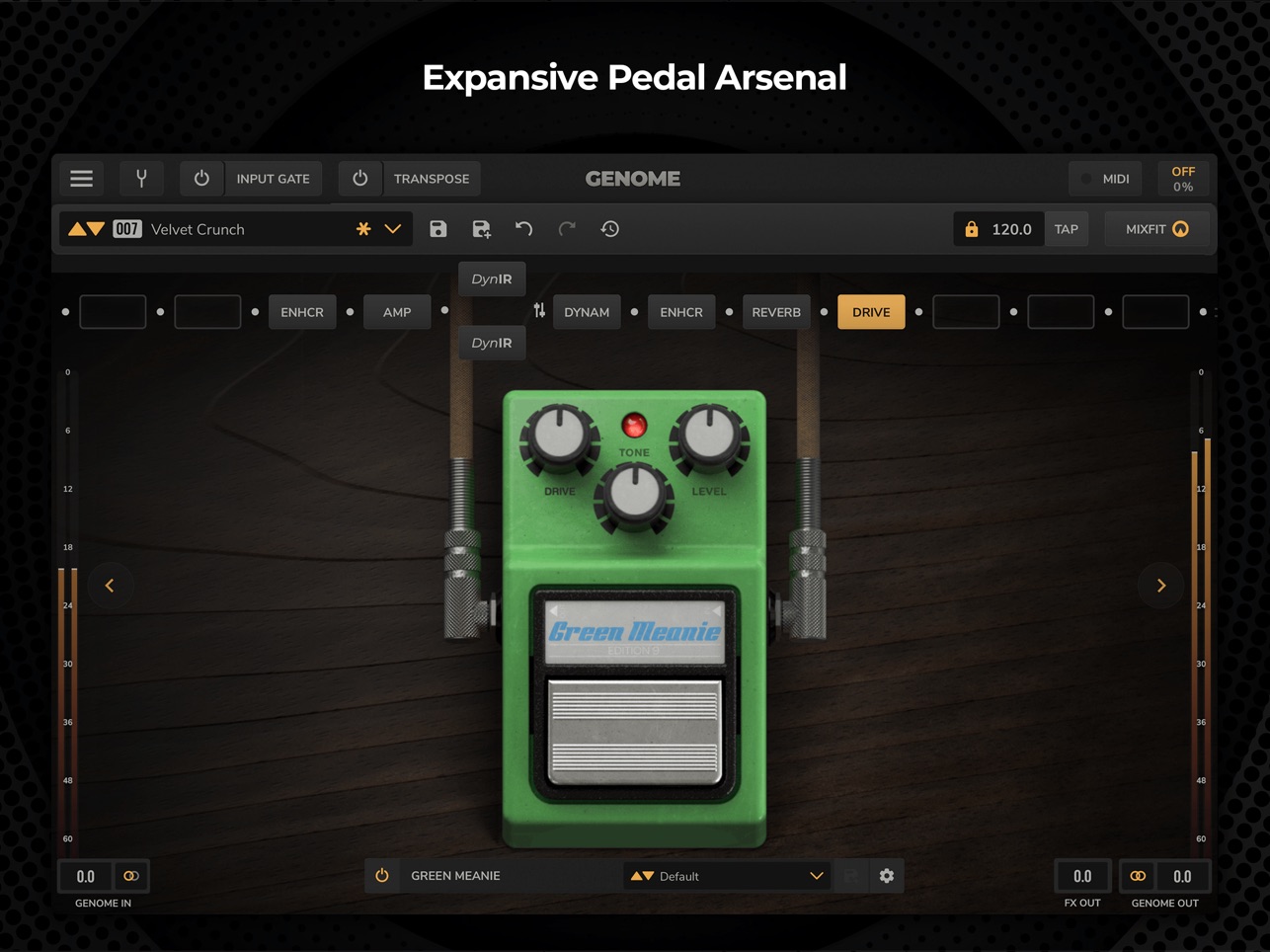 The pedal view, with the Green Meanie overdrive open and a chain that splits into two DynIR paths. Image: Two notes Audio Engineering
AUv3: GENOME on the track
In practice, the Audio Unit changes how you record. Before 2.2, recording GENOME into an iPad DAW meant running the standalone app and getting its audio into the DAW some other way. Now you load GENOME on a track as an effect in AUv3 hosts such as Logic Pro for iPad, Cubasis, Loopy Pro or AUM. You arm the track and play, and the rig sits on the channel strip with your other plug-ins.
The bigger win is re-amping. Record a clean DI of your guitar or bass with GENOME on the track, and the amp tone stays a decision you can change later. You can swap the amp, move the mic on the cab or replace the overdrive weeks after the take, and you never have to replay the part. That flexibility has long been a reason to track guitar on a computer, and now the iPad has it too.
A host also lets you place GENOME anywhere in a larger chain. You can put a compressor or a tuner ahead of it, or follow it with creative effects GENOME doesn't include. If you need free effects for that, our roundup of the Airwindows Consolidated AUv3 is a good place to start.
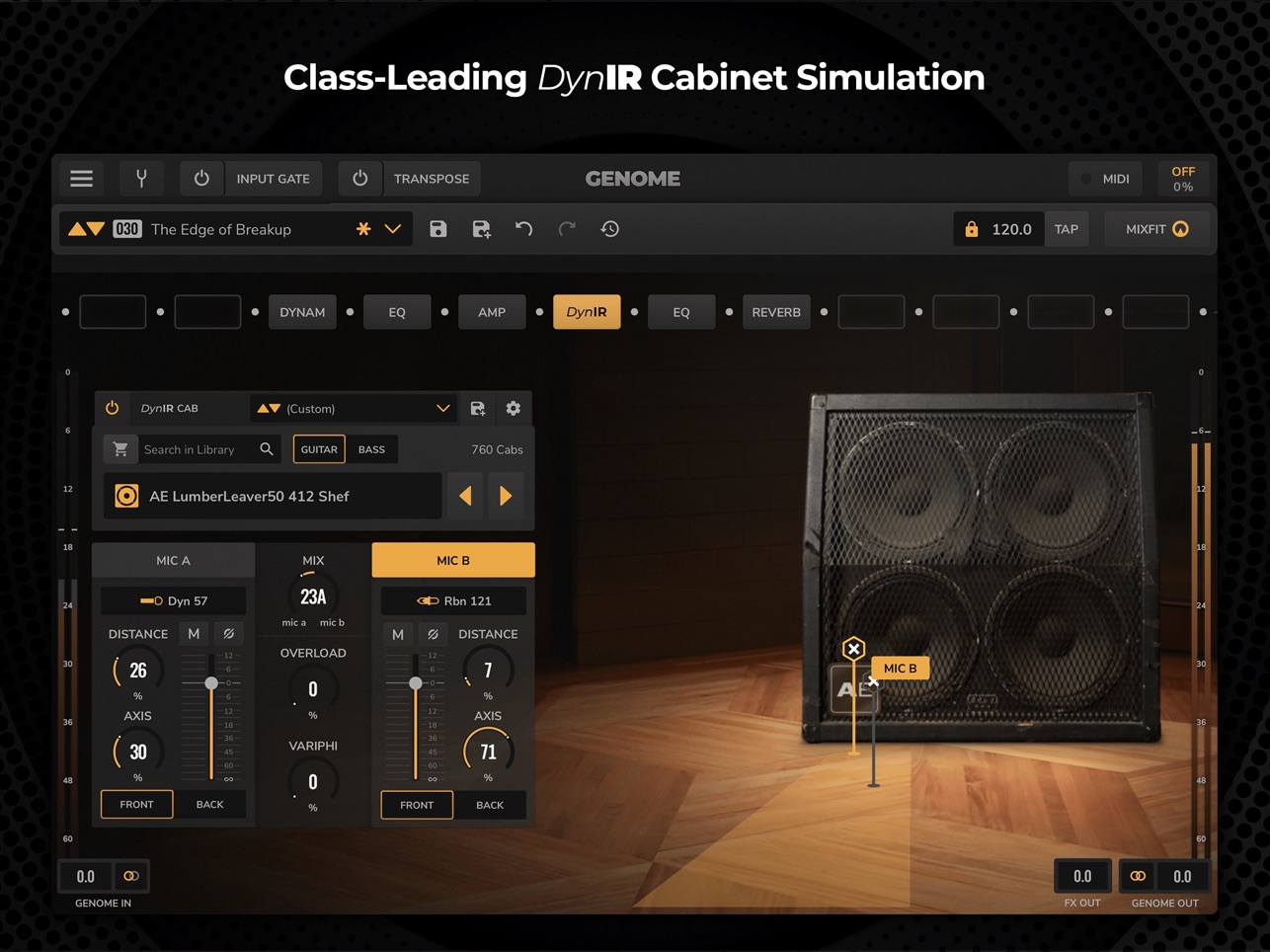 DynIR in detail: a 4x12 miked with a dynamic 57 and a ribbon 121, each with its own distance and axis, blended with the mix control. Image: Two notes Audio Engineering
Live Mode: built for the stage
The other half of 2.2 is for players who use an iPad as their live rig. Live Mode gives you three performance views.
Setlist View arranges RIGs into setlists across Banks, so a show runs in order and you don't have to scroll through a preset browser between songs. RIG View focuses on the rig that's playing. Custom View lets you build your own screen from Tiles, with a separate layout for each RIG. You decide which controls stay in front of you for each song, such as a drive switch, a delay mix or a Scene change.
Scenes change how one RIG behaves across a song. A single RIG can hold clean, crunch, rhythm and lead variations, and moving between them is gapless, with delay and reverb tails preserved. When you move to a completely different RIG, preset-based spillover lets the effect tails ring out across the change, so the end of a verse doesn't cut off.
Global EQ completes the live update. It's one EQ over everything, so you can tune the whole rig to a room, a PA or a different set of in-ear monitors without editing every preset.
MIDI mapping is built in, and GENOME works with Bluetooth and USB MIDI controllers, so hands-on control doesn't have to mean touching the screen.
Pricing and tiers
GENOME Intro iOS is a free download. GENOME iOS is an $89.99 in-app purchase. GENOME Suite iOS costs $159.99, and there's a $99.99 GENOME Suite Upgrade iOS purchase for moving up from GENOME iOS. Both GENOME iOS and Suite are also available as subscriptions.
GENOME requires iPadOS 15 or later. It's iPad only, and there's no iPhone version.
Who it suits, and what to weigh
GENOME 2.2 is for two groups. The first is guitarists and bassists who record on iPad and want a full amp-and-cab platform that works the way desktop amp sims do: an Audio Unit on the track, a DI you can re-amp, and a rig you can change after the take. The second is players who have been looking at an iPad as a stage rig and need setlists, Scenes, tail spillover and a custom performance screen.
A few things to weigh. It's iPad only, so iPhone users are out. The free Intro tier is a real starting point, but the expanded stock collection, PARADEX captures and full Global Transpose and Global EQ are in the paid tiers, and the premium components live in Suite. You'll also need an audio interface with a proper instrument input to get your guitar or bass into the iPad. If you're shopping for one, our older Apogee Jam review covers a guitar interface built for iPad.
For iPad guitarists who wanted GENOME inside their DAW, version 2.2 is the update they were waiting for. GENOME Amp Simulator is on the App Store, and you can find the rest of the Two notes range at two-notes.com.