MIDGAR: Bram Bos's Creative Ambience Engine Turns Dry Sounds Into Cinematic Carpets on iPhone, iPad and Mac

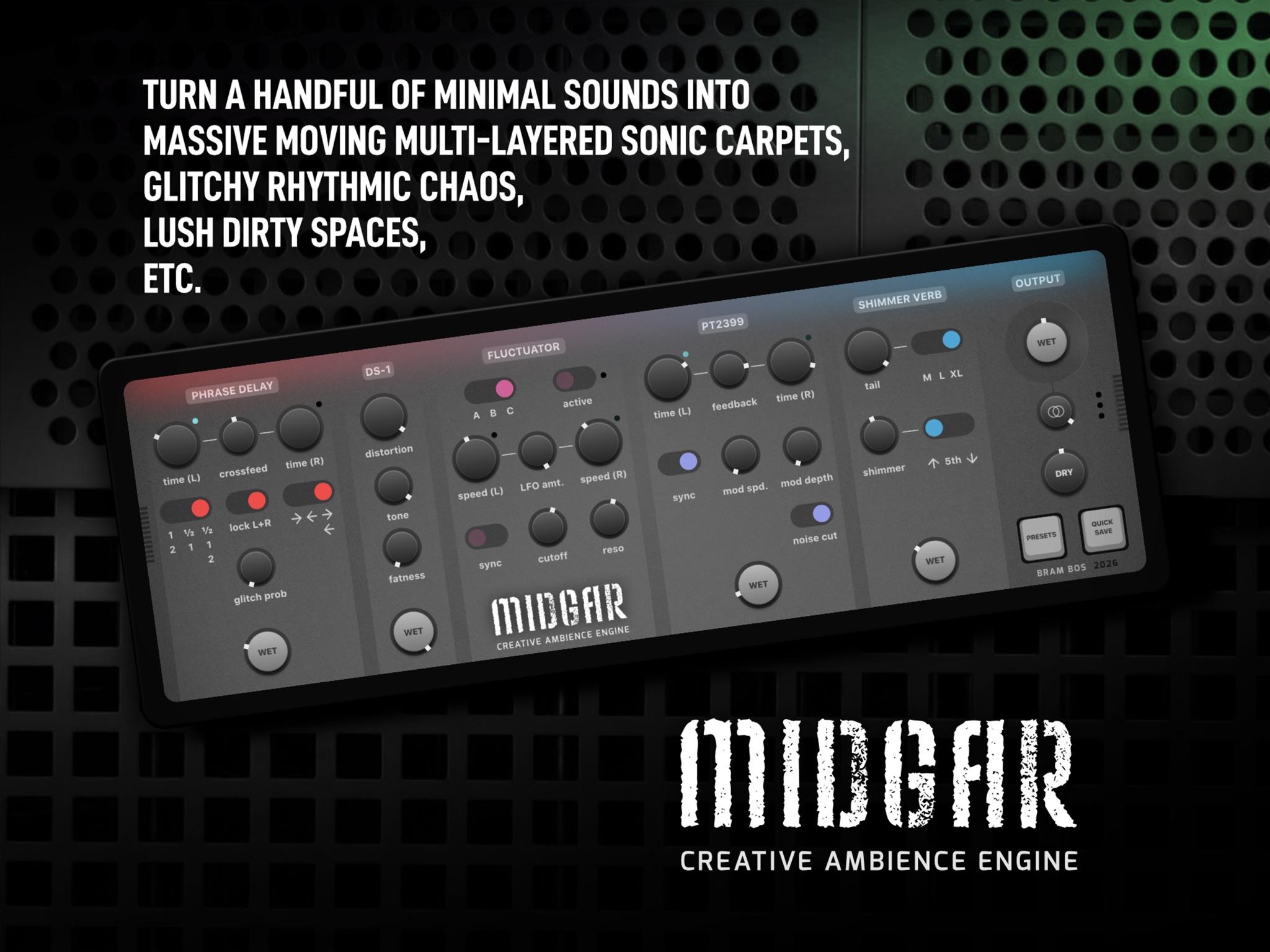
Sometimes all you have is a boring drum loop or an uninspired synth patch. Bram Bos's MIDGAR is a five-stage effect chain built to turn that kind of material into grand cinematic layers. Feed it a few dry notes and it builds them into layers of moving, spacious sound. It can also make frantic glitchy drums, huge shimmer reverbs, dirty sound carpets and plenty of stranger things in between.
MIDGAR, subtitled Creative Ambience Engine, arrived on the App Store on November 8. It runs as an AUv3 effect on iPhone, iPad and Mac, in hosts such as Logic Pro, AUM, Cubasis and Drambo, with every control on one screen.
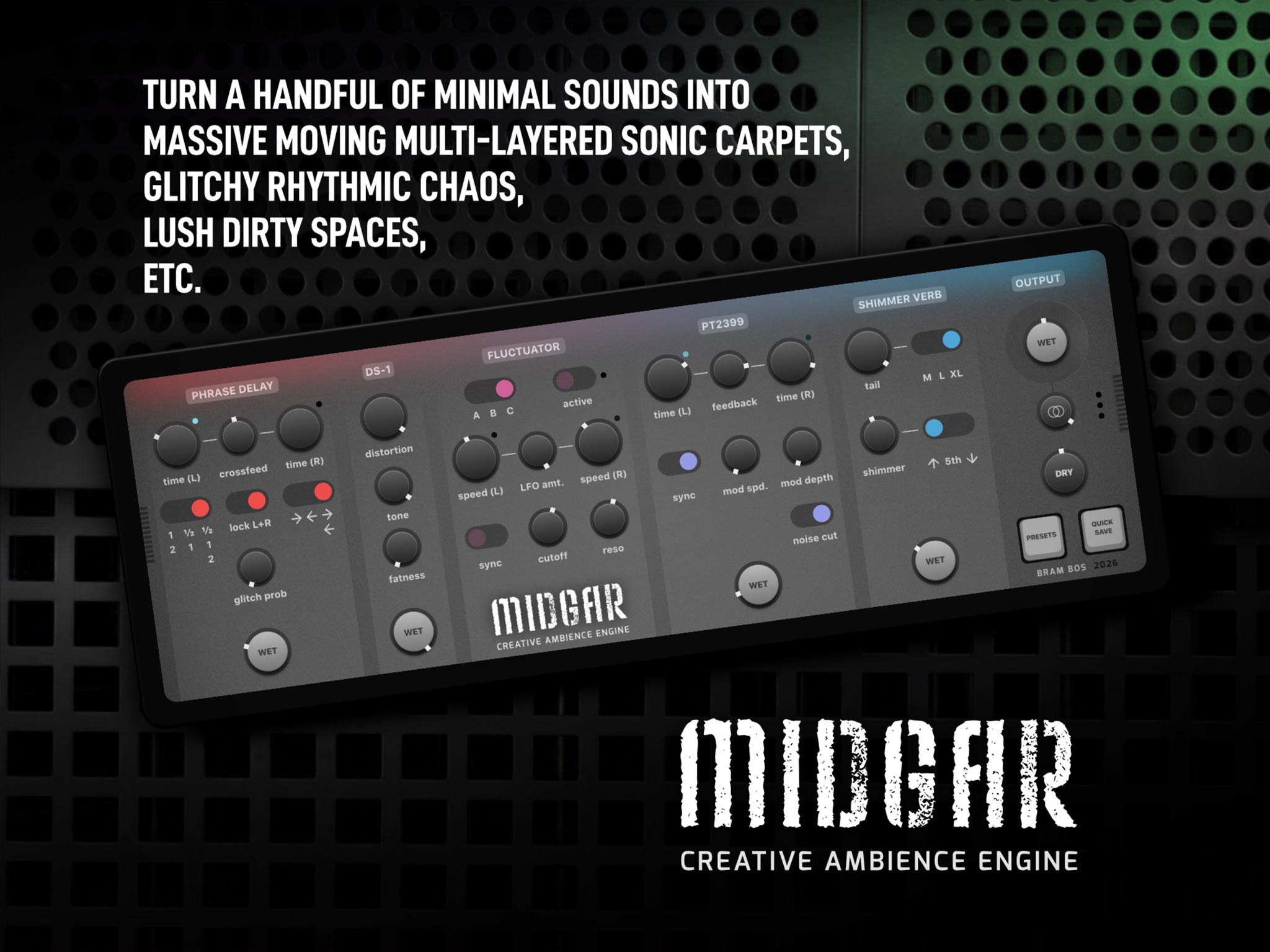 MIDGAR's whole signal chain on one iPad screen, from Phrase Delay on the left to Output on the right. Image: Bram Bos
One screen, left to right
The panel reads like a pedalboard, with signal running left to right: Phrase Delay → DS-1 → Fluctuator → PT2399 → Shimmer Verb → Output. Phrase Delay, DS-1, PT2399 and Shimmer Verb each have a Wet control, and the Fluctuator has an Active switch, but dry signal inside the plug-in still passes through every later stage. A note the looper leaves alone still gets distorted, filtered, delayed and reverberated if those stages are active. The Dry knob in the Output section is separate, and it mixes in the untouched input at the end.
Phrase Delay
First comes a tempo-synced microlooper. It records a slice of the current bar, anywhere from a 16th note to a full bar, set separately for left and right with the Time L/R knobs. LEDs above them blink at the slice rate. It then plays the slice back at randomly chosen speeds (normal, half speed an octave down, or double speed an octave up) and in a random direction: forward, reversed, or both. Glitch Probability sets the chance of rhythmic stutters.
Crossfeed adds each channel's output to whatever the opposite channel is recording. When left and right play at different speeds, that produces bouncing stereo movement. Lock L+R aligns timing, speed and direction across both channels when you want them to move together.
Try it: run a simple piano figure through it with left on a half-bar slice and right on a quarter, then add some Crossfeed and a little Glitch Probability.
DS-1
Next is a distortion modelled on a famous guitar stompbox from the late 1970s. Distortion sets the strength, Tone runs from dark to harsh, and Fatness controls how much low end gets through before clipping. Higher settings suit synths and drums, and lower settings give the tighter, highpassed character of traditional guitar processing. Bos recommends 2 o'clock for the classic DS-1 sound. The section's Wet knob means you can go for full grit or blend in just enough harmonics to give the next stages more to work with.
Fluctuator
Bos calls this section a Fluctuator rather than a filter because it isn't meant to be played like a synth filter. It uses two unconventional filters, one per channel, each with its own LFO, to push frequencies and phases around the stereo field. Three types are available: A is a 4-pole allpass/lowpass combination with a clear, sparkly character. B is an 18dB lowpass, the most conventional of the three. C is a resonant phaser that can sound like a wah at certain settings.
Speed L/R sets each LFO, free-running or tempo-synced with Sync. LFO Amt sets how far the cutoff sweeps down from the Cutoff setting, and at zero the filter is static. Reso and an Active bypass complete the section. For subtle spatial drift, Bos suggests free-running LFOs set close together. To make synced LFOs line up with each other, start or rewind the host with Sync already on.
PT2399
The fourth stage simulates two PT2399 chips, one per channel. The PT2399 is a cheap CMOS chip from the mid-90s, designed for karaoke reverb, that became a cult part in stompboxes and DIY modular. In MIDGAR it works as a delay. The minimum time is 30 ms, and the maximum has been modded from the stock 300 ms out to several seconds. At the long end you get the chip's degradation: more noise and a narrower frequency range.
You get separate left and right times, Feedback, Sync, and Mod Speed/Depth for anything from slow detuning to fast vibrato. A Noise Cut switch removes almost all of the chip noise. Leave it off if you want the authentic grime.
Try it: push both times toward the long end with Noise Cut off, then add moderate feedback and slow modulation, so the repeats pick up the chip's noise and detuning before they reach the reverb.
Shimmer Verb
The last effect stage is a reverb built for exaggerated effects, with very long tails and impossibly large spaces. A granular shimmer sits inside its feedback loop, so you can have reverb without shimmer but never shimmer without reverb. Instead of the traditional figure-of-eight design, Bos built it on his own "sideways fish" architecture, which favours stereo play over realism.
Tail sets the decay, and Size offers M, L and XL. XL is the special-effects mode, and Bos calls it the most fun one. With Tail at maximum, XL gives near-infinite reverb. Shimmer sets how much of the reverb goes back through the shimmer engine, and Shimmer Tone chooses octave up, perfect fifth or octave down.
Try it: set XL, Tail near maximum and Shimmer Tone on a fifth, then feed it short staccato chords and let the tail carry the harmony.
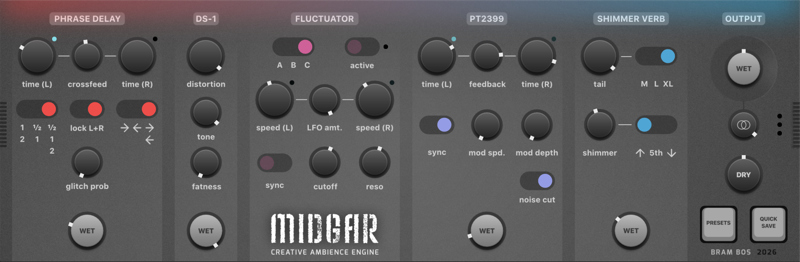 The complete MIDGAR panel: every control in the chain on one screen. Image: Bram Bos
Output
The Output section mixes Wet and Dry and adds a mid/side Stereo Widener that works on the wet signal only. Turn it clockwise for a wider field, or anticlockwise to narrow toward mono. The wet path includes soft saturators and DC blockers, so the wet signal may sound slightly different from the dry one even with every section off.
Presets, automation and the 1.0.1 Randomiser
MIDGAR ships with presets, and Presets and Quick Save buttons sit on the panel. Every setting is exposed as an AU parameter for automation and MIDI learn, so you can sweep Glitch Probability or Shimmer across a section to make a static loop develop. A standalone app can trigger a few sounds for auditioning the effect.
Version 1.0.1 arrived on November 15 with the most requested feature: a Randomiser. In a chain this deep, it's a quick route to settings you wouldn't have dialled in yourself. Keep the good ones with Quick Save. The update also fixes knobs that behaved erratically when a finger left the window diagonally.
Price and requirements
MIDGAR costs $9.99 on the App Store, and that single purchase covers iPhone, iPad and Mac. Family Sharing is supported. It requires iOS or iPadOS 15.6 or later, or macOS 12.5 or later, and the AUv3 runs on both Intel and Apple silicon Macs.
Who it suits
MIDGAR is for anyone who wants to turn a simple source into something big without building a long chain from separate plug-ins. Ambient and cinematic producers get shimmer, long delays and slow stereo movement in one place. Beatmakers can use the Phrase Delay and DS-1 to turn a plain drum loop into glitchy, saturated material. Guitarists and keyboard players get a stompbox-flavoured chain with an outsized reverb at the end. And since one purchase covers every platform, the same effect can go on an iPhone sketch, an iPad AUM session or a Logic project on the Mac.
It joins a Bos catalogue that runs from Rozeta and Mozaic to Fluss, Salome and Perforator. MIDGAR is on the App Store, and you'll find the rest of Bram Bos's apps at ruismaker.com.