Tracker Pro 1.2 Goes Universal With a Piano Roll, Three Vintage Synths and Bounce in Place

When we looked at Tracker Pro on 25 October, Dubspot's modern tracker was an iPad-only app: a touch-first grid with a vintage-minded sampler, built-in synths and AUv3 hosting. Today, 5 November 2026, Dubspot has shipped Tracker Pro 1.2, and it is a big one.
Version 1.2 turns what began as a tablet studio into a universal production workspace across iPhone, iPad and native Mac. At the same time, it broadens how you write and process music inside the app, pairing its vertical pattern grid with an optional piano roll, adding three hardware-inspired synthesizers and new mixing effects, expanding the sampler's filter architecture, and introducing Bounce in Place. We have not tested version 1.2 hands-on; this report is based on Dubspot's release notes, the App Store listing and the official release video.
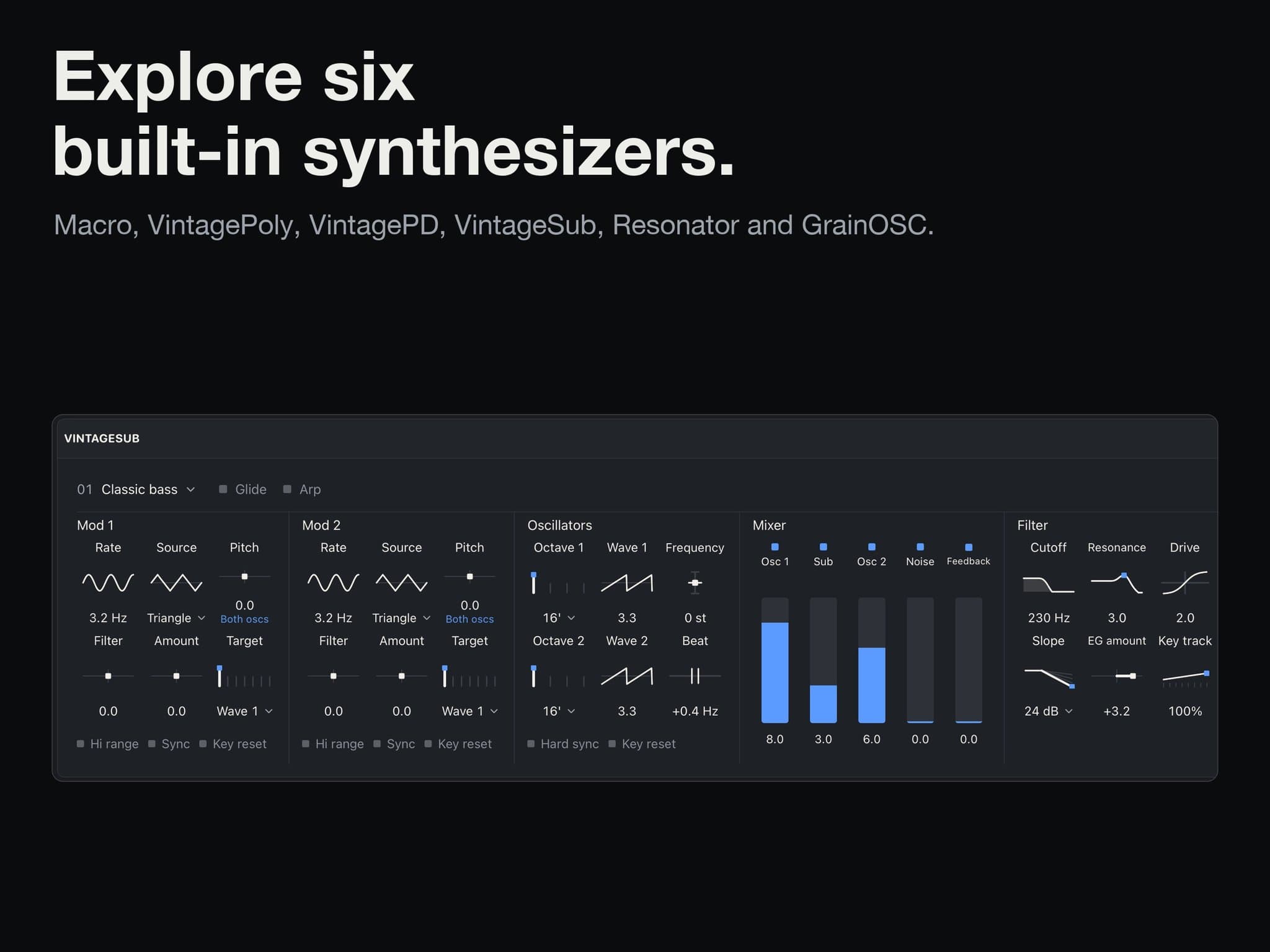
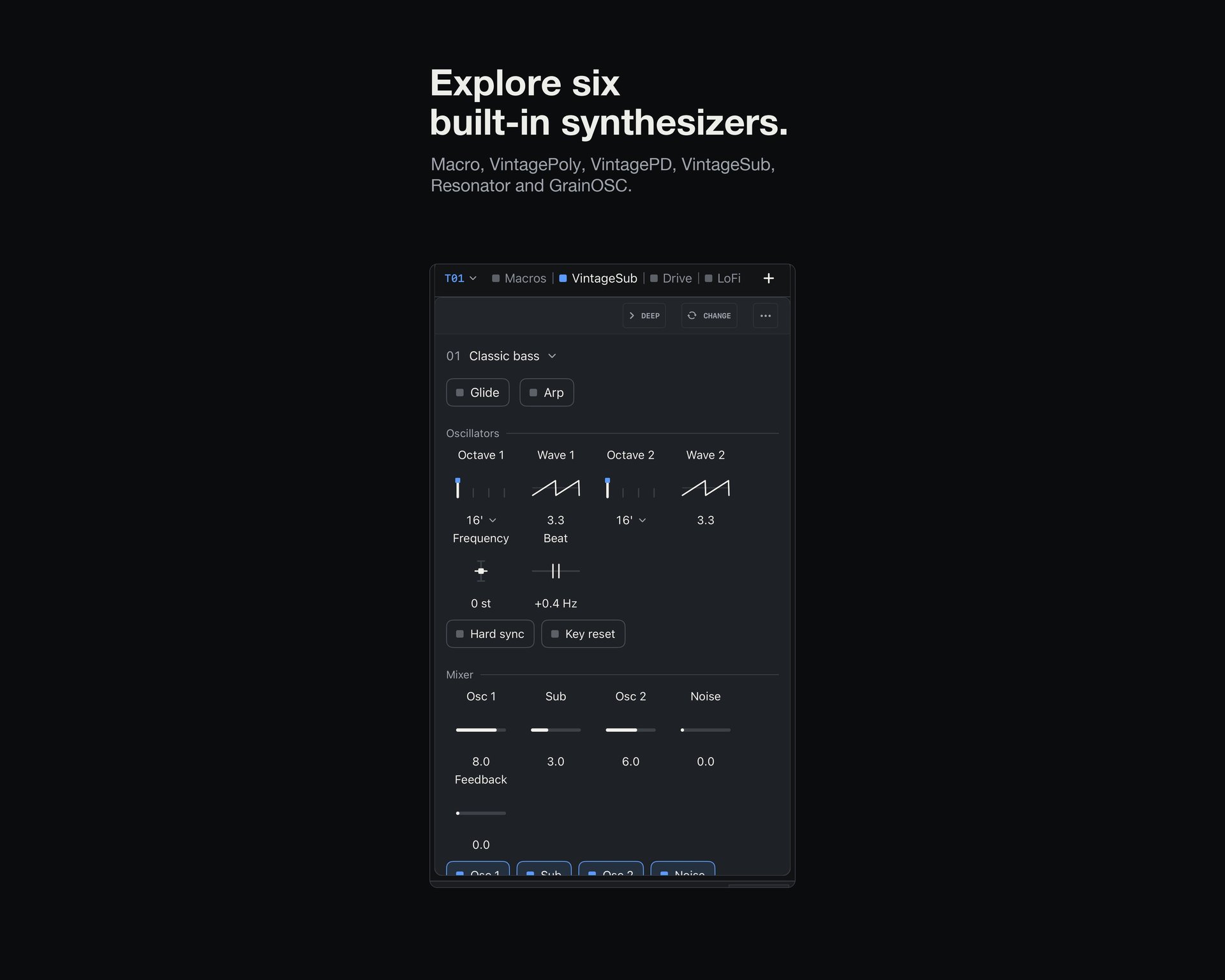
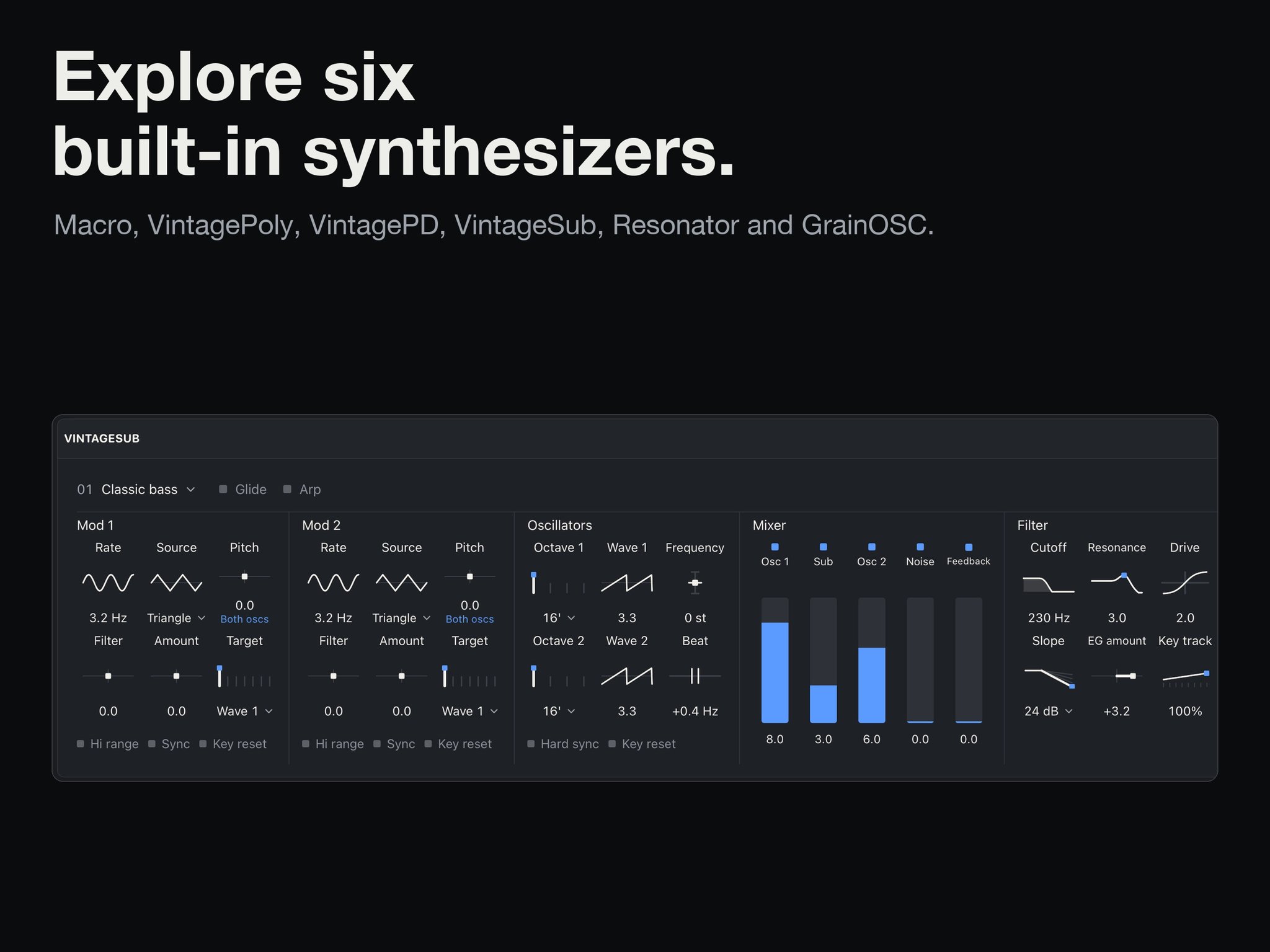 Tracker Pro 1.2 on iPad showing the new VintageSub synthesizer and its Classic bass preset, with dual modulation sections, an oscillator mixer and a 24 dB filter with drive under the banner "Explore six built-in synthesizers". Image: Dubspot / App Store
Dubspot's official video tour walks through the core additions in concise chapters. After a brief look at the universal app layouts and the piano roll at 0:00, the demo moves through the new instruments and rendering workflow: VintagePD at 150 BPM (0:29) and 162 BPM (0:54), VintageSub at 84 BPM (1:06), VintagePoly at 124 BPM (1:40), and finally Bounce in Place (2:10). Throughout the clip, the tracker displays the active bass and drum patterns at the top of the workspace while the corresponding synthesizer and effects chain remain visible underneath.
One purchase across iPhone, iPad and native Mac
The headline structural change in version 1.2 is screen support. Listed on the App Store as "Tracker Pro: Sampler & Synths" under seller Resonate Tech, Inc., the app now runs on iPhone and native Mac alongside iPad as a single $15.00 (US list price) purchase across all three platforms. The compatible iPad app is also available on Apple Vision Pro.
Bringing a dense tracker interface to a pocket display requires more than shrinking the tablet view. For 1.2, Dubspot built dedicated iPhone layouts alongside targeted improvements to phone navigation, note entry, recording and macro range editing. The update also includes explicit support for iPhone Duo: when the device is in its unfolded state, Tracker Pro switches to an iPad-style layout adapted to the smaller screen.
 Tracker Pro running on iPhone, showing two pattern tracks with note entries such as F-2, C-3 and G#2 alongside velocity values. Image: Dubspot / App Store
On the desktop, the native Mac version ships today in 1.2 with a workspace that adapts as you resize your window. It supports Audio Unit instruments and effects as well as touch input, and the release notes also point to broader refinements in Audio Unit handling and project recall across the app.
A piano roll alongside the tracker workflow
Classic trackers reward rhythmic precision and step-by-step parameter control, yet typing chords or adjusting overlapping note durations down a vertical column is not always the fastest way to sketch a harmonic idea. In version 1.2, Dubspot addresses this by adding an optional piano roll that operates alongside the standard tracker grid.
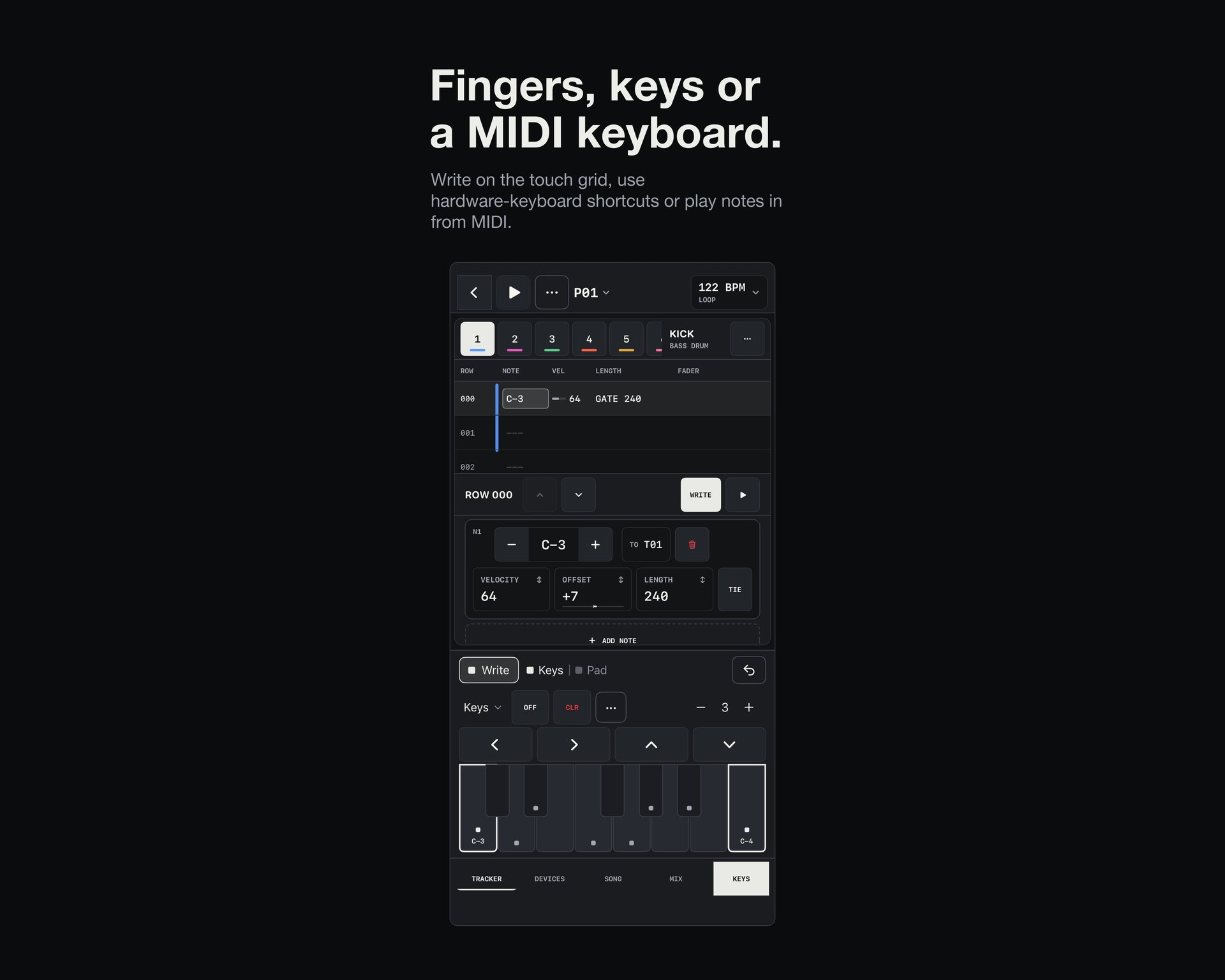 Note entry on iPhone at 122 BPM using the on-screen keyboard with Write, Keys and Pad modes, illustrating the "Fingers, keys or a MIDI keyboard" input options. Image: Dubspot / App Store
Rather than replacing the step sequencer, the piano roll serves as a companion view where you can write and edit melodies and chords visually, adjusting pitch, note length and velocity on a horizontal timeline. Notes can still go in by touch on the grid, with the on-screen keys, via hardware-keyboard shortcuts or from a MIDI keyboard; the piano roll simply adds a view that will feel familiar to anyone coming from a conventional DAW.
The Vintage Synth Collection: VintageSub, VintagePD and VintagePoly
According to the updated App Store screenshots, Tracker Pro now includes six built-in synthesizers: Macro, VintagePoly, VintagePD, VintageSub, Resonator and GrainOSC. The three newest instruments make up the Vintage Synth Collection, each modeled on a classic hardware design. Hardware names identify emulation targets only; Dubspot notes no affiliation with or endorsement by the original instrument makers.
VintageSub brings Moog Sub 37-inspired subtractive synthesis to the rack, with an engine that Dubspot's video describes as calibrated against hardware recordings. Its control panel provides two modulation sections, dual oscillators, a mixer with dedicated levels for Osc 1, Sub, Osc 2, Noise and Feedback, and a 24 dB filter with drive. According to an anecdote shared by Dubspot, when the team recreated the bass part from Boards of Canada's "Roygbiv" using VintageSub, YouTube's Content ID system matched their demo to the original track.
 VintageSub loaded into an iPhone track's device chain alongside Drive and LoFi effect slots. Image: Dubspot / App Store
VintagePD focuses on Casio CZ-series phase-distortion synthesis with multi-stage envelopes, presented in the video tour as a CZ-1000 emulation with phase distortion. In Dubspot's demo, it drives two rapid sequences at 150 BPM and 162 BPM. Rounding out the trio is VintagePoly, a Korg Poly-61-inspired polyphonic synthesizer built for polyphonic chords and leads.
Sampler filters, studio effects and Bounce in Place
The built-in Sampler also receives an upgrade in 1.2, gaining additional filter models inspired by E-mu E-series hardware samplers. Just as useful for intricate pattern programming, modulation now works across all filter parameters, including the Morph filters.
On the processing side, the effects section expands in two directions. For dynamics and tonal shaping, there is a new API 235-inspired Gate/Exp and a Pultec-style EQP1 program EQ. For color, texture and impact, the 1.2 release notes also list Saturation, Tape, Vinyl and Transient Designer, along with Lofi reverb and decay controls, reverb placement and gentler dropouts.
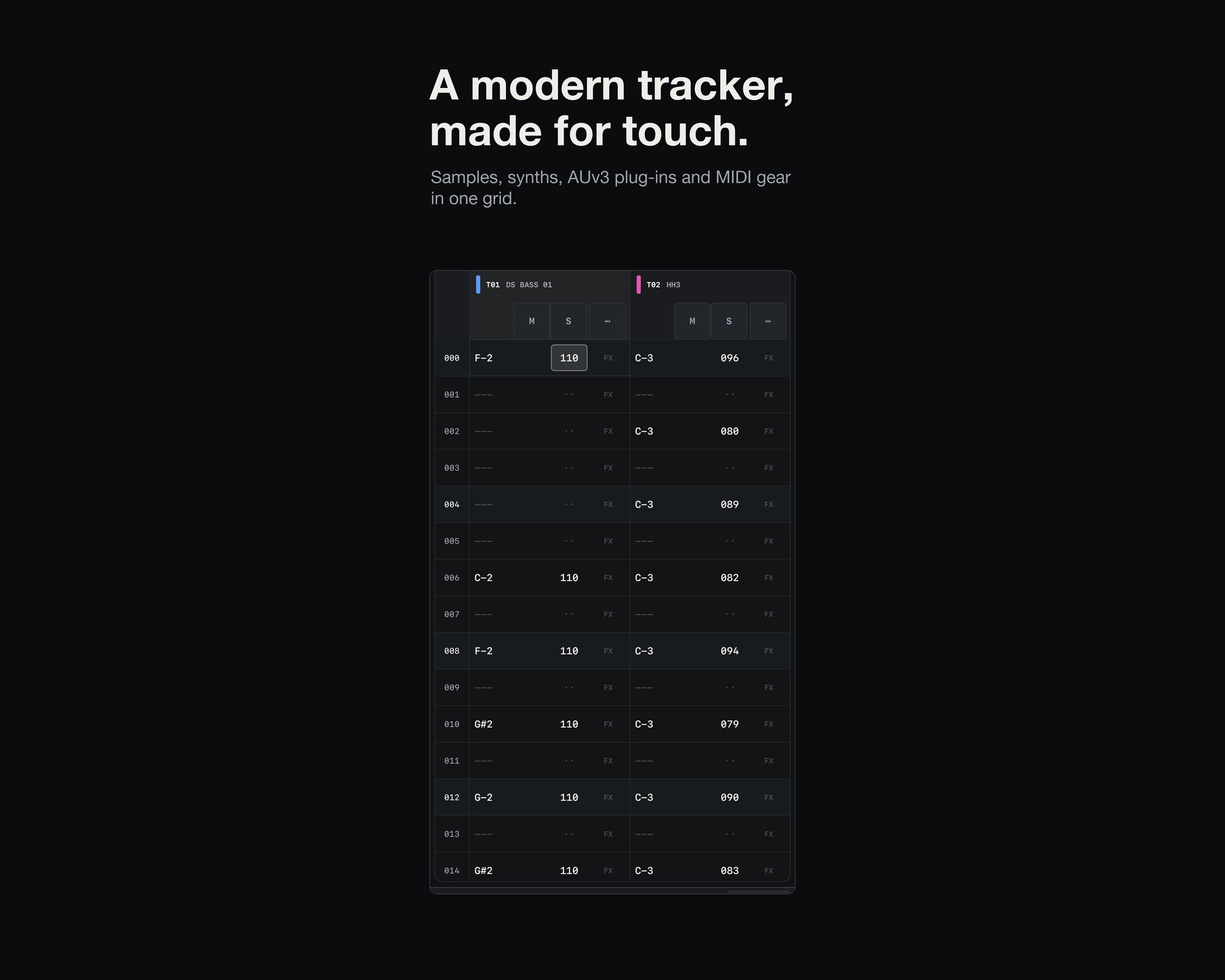
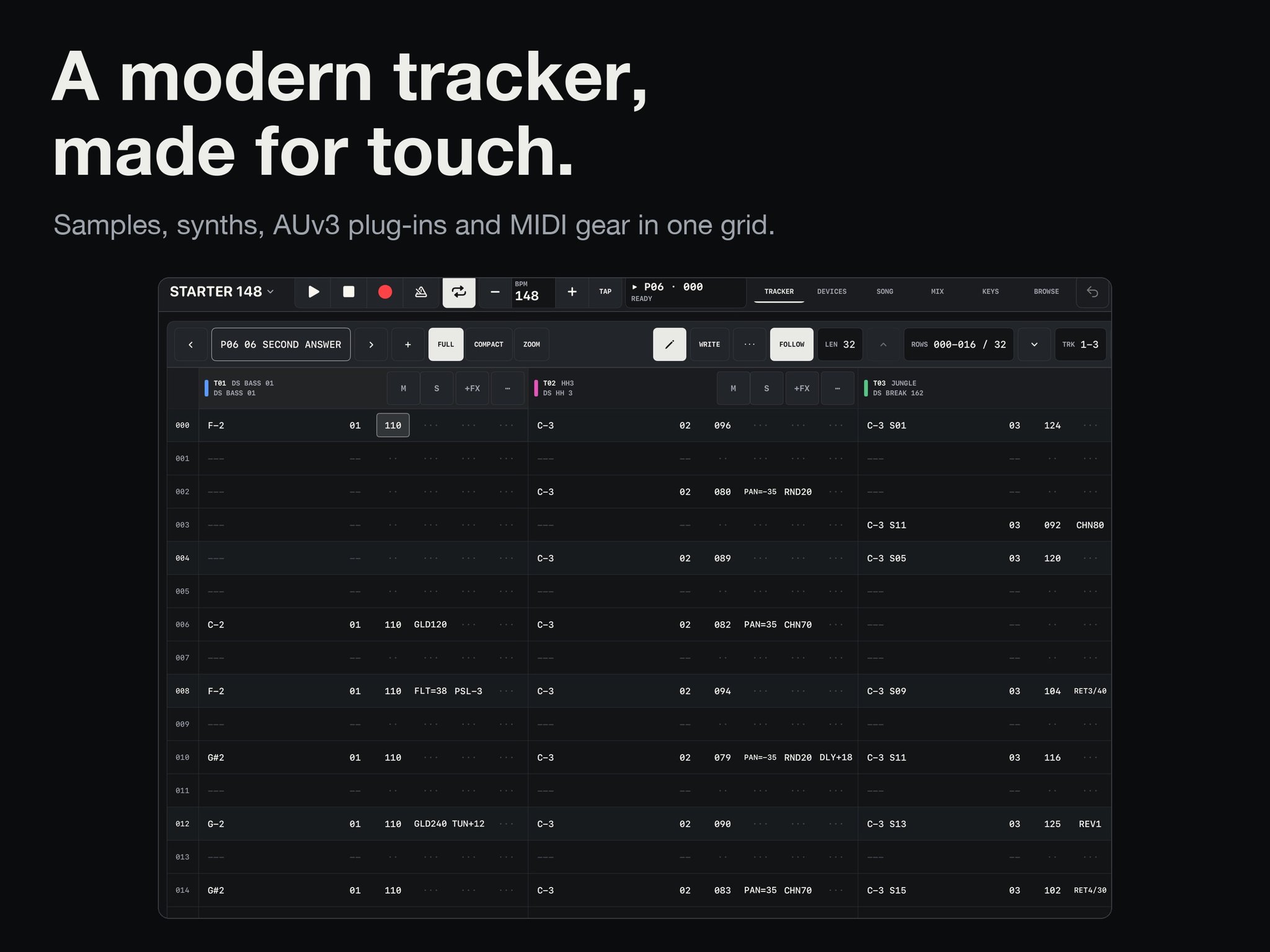 The iPad tracker grid interface in Tracker Pro 1.2, billed as "A modern tracker, made for touch". Image: Dubspot / App Store
To tie the new instruments and processors back into the sampling workflow, version 1.2 introduces Bounce in Place. You can render a track's current pattern through its active instrument and effects chain directly into a new Sampler instrument. You can choose either to replace the current track or to place the rendered audio onto a new track; at 2:10 in the official video, Dubspot picks a new track and keeps the release tail.
Tutorial: getting around Tracker Pro
If you are new to the app's layout, the third-party tutorial below from the SoundForMore MusicTech Tutorials channel (it isn't made by Dubspot or by us) is an approximately 19-minute overview of the iOS app. It was published on 3 November, two days before 1.2 shipped, so treat it as a guide to the core workflow (the tracker grid, the sampler, AUv3 plug-ins and per-step commands) rather than to the new features. Pairing this walkthrough with Dubspot's official Tracker Pro user guide and tutorials is a practical way to learn both the core interface and the new 1.2 tools.
Pricing and availability
Tracker Pro 1.2 is available now on the App Store for $15.00 (US list price), with one purchase unlocking the app across iPhone, iPad and native Mac, plus compatibility on Apple Vision Pro via the iPad app. On iPhone and iPad it requires iOS or iPadOS 17.0 or later. Full specifications and documentation are available on the Dubspot Tracker Pro product page and the official guide, and you can revisit our 25 October article for more context on the original iPad release.