Atavism Turns Any Track Into an In-Key Pad as an AUv3 on iPad

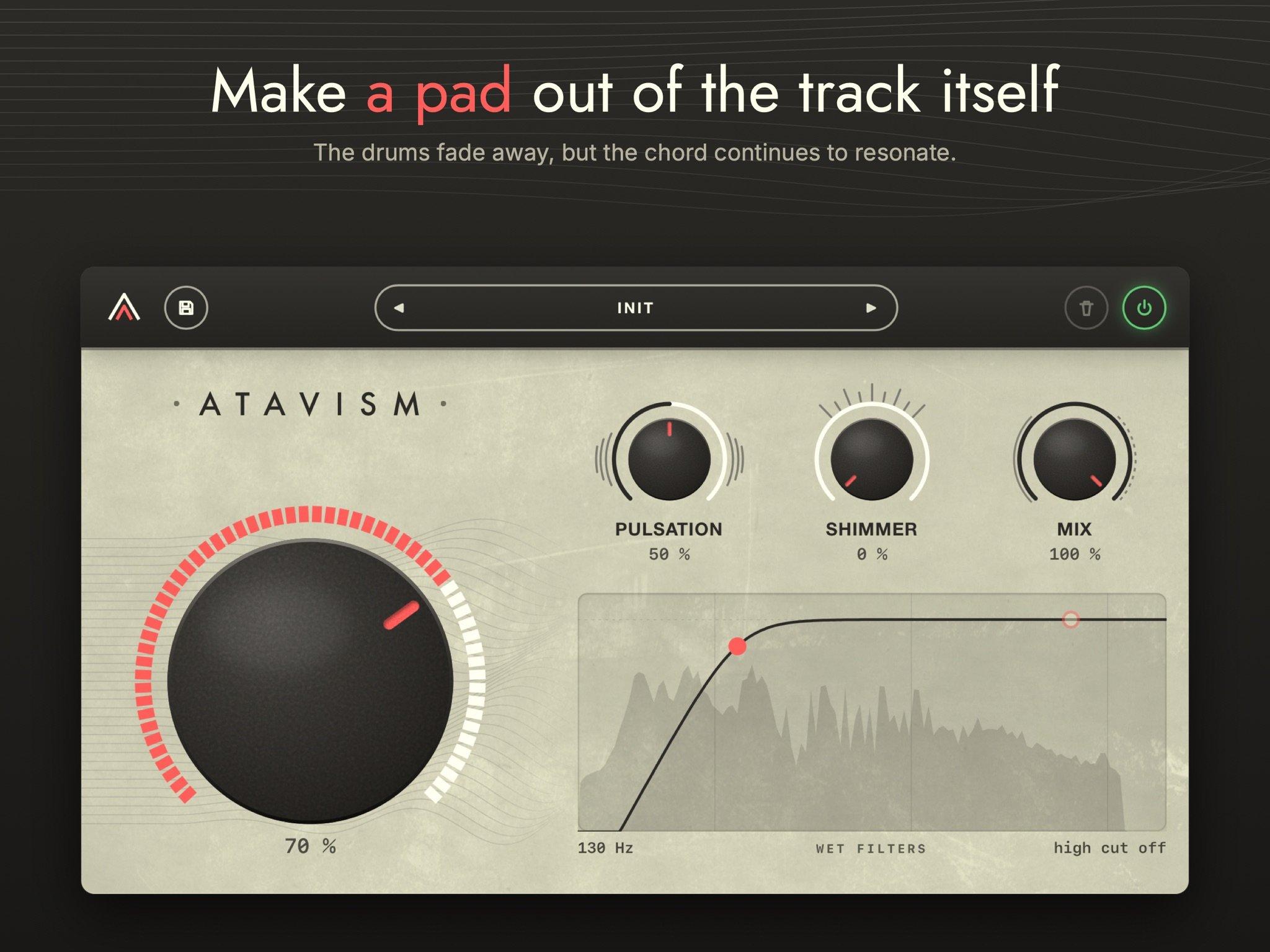
Most ways of making a pad start with something new: a synth patch, a frozen grain, a reverb tail. Atavism starts with the track you already have. Put it on a drum-heavy loop and turn one knob, and the hits stop hitting. What's left is the harmony of the music, smoothed into a pad that moves through every chord change and never leaves the key, because it's made from the song itself.
Atavism comes from Parallel Minds, a small independent studio in Lyon, France, founded by William Garrido. The studio's first tool was Reverie, an ambient soundscape generator for macOS, Windows, Linux and iPad. Atavism launched as a desktop plug-in in September, picked up an AAX version for Pro Tools in October, and is now on the App Store as an AUv3 effect for iPad (version 1.1.1, iPadOS 15 or later).
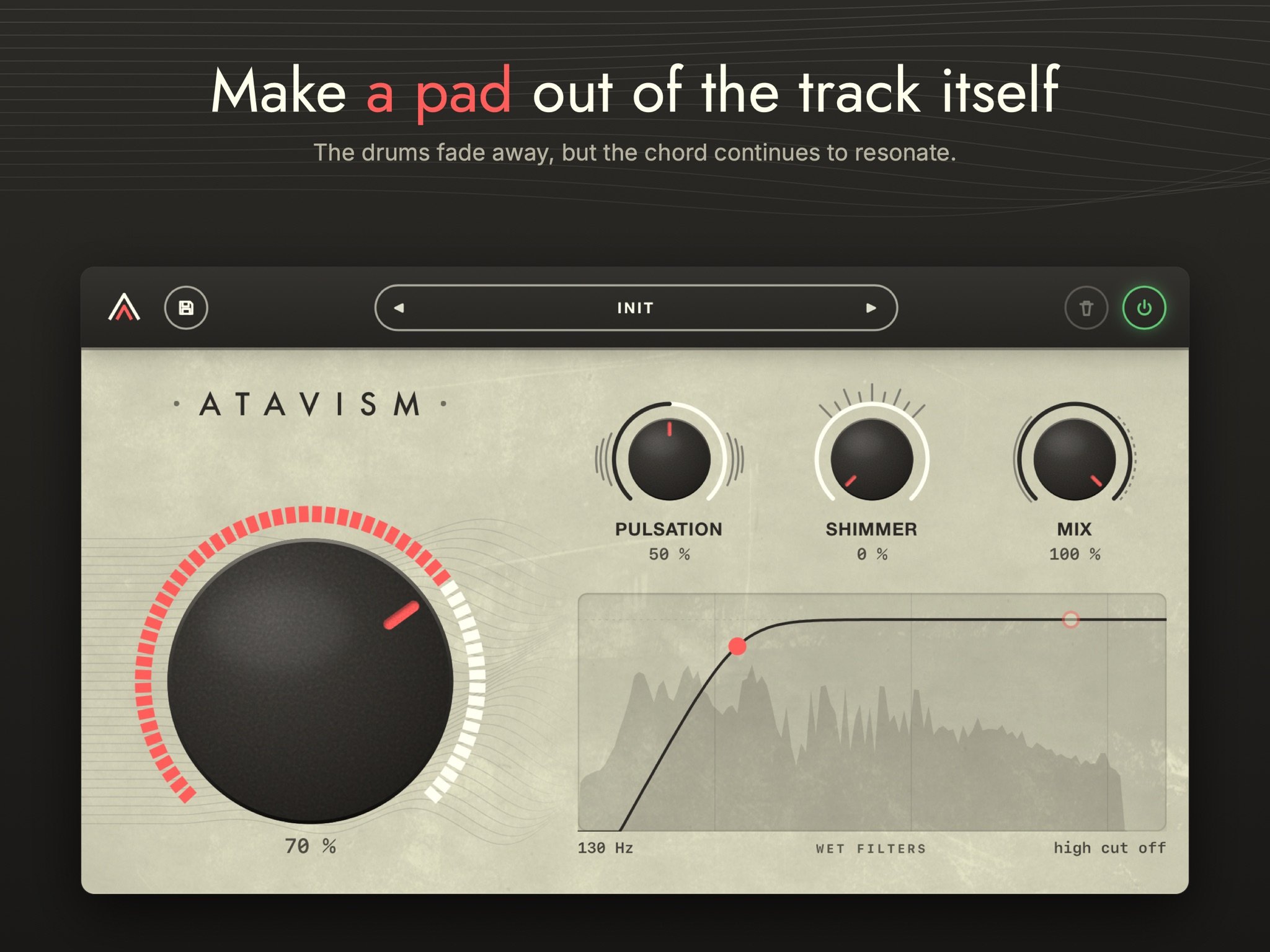 Atavism on its Init preset: big knob at 70%, Pulsation at 50%, Mix at 100%, and the pad's low cut at 130 Hz. Image: Parallel Minds
What it isn't
The quickest way to understand Atavism is to go through what it isn't. In one sentence, it erases the timing of a sound and keeps its harmony.
It isn't a reverb. Atavism has no room and no decay. When the source stops, the pad keeps building for a few seconds and then stops on its own. It doesn't trail off.
It isn't a delay. Nothing is repeated, so there are no echoes and no rhythm of its own to clash with the groove underneath.
It isn't a freeze. Atavism keeps listening. As the track progresses, the pad follows the harmony.
It isn't a time-stretcher. Nothing is stretched. The pad keeps the source's duration and its place in the arrangement, so a chorus stays exactly where the chorus is.
It isn't a synth. No notes are tracked or triggered. The pad is built from the sound's own spectral harmonics. That's why it stays in key without asking you for one.
How it works
The sound only spreads forward: a note begins when it's played, and its harmony spreads out right after. The processing happens in four stages.
- Separation. What resonates lingers, and what hits is set aside, so no attack comes through as an attack.
- Preserving the lines. The underlying harmony stays while background noise falls away. This works on a single track as well as on a full mix bus.
- Spreading. Each moment spreads out over the seconds that follow, like a reverb convolution without the decay.
- Spreading again. From 75% on the big knob, a second stage spreads the result once more. At 100%, only the persistent lines remain.
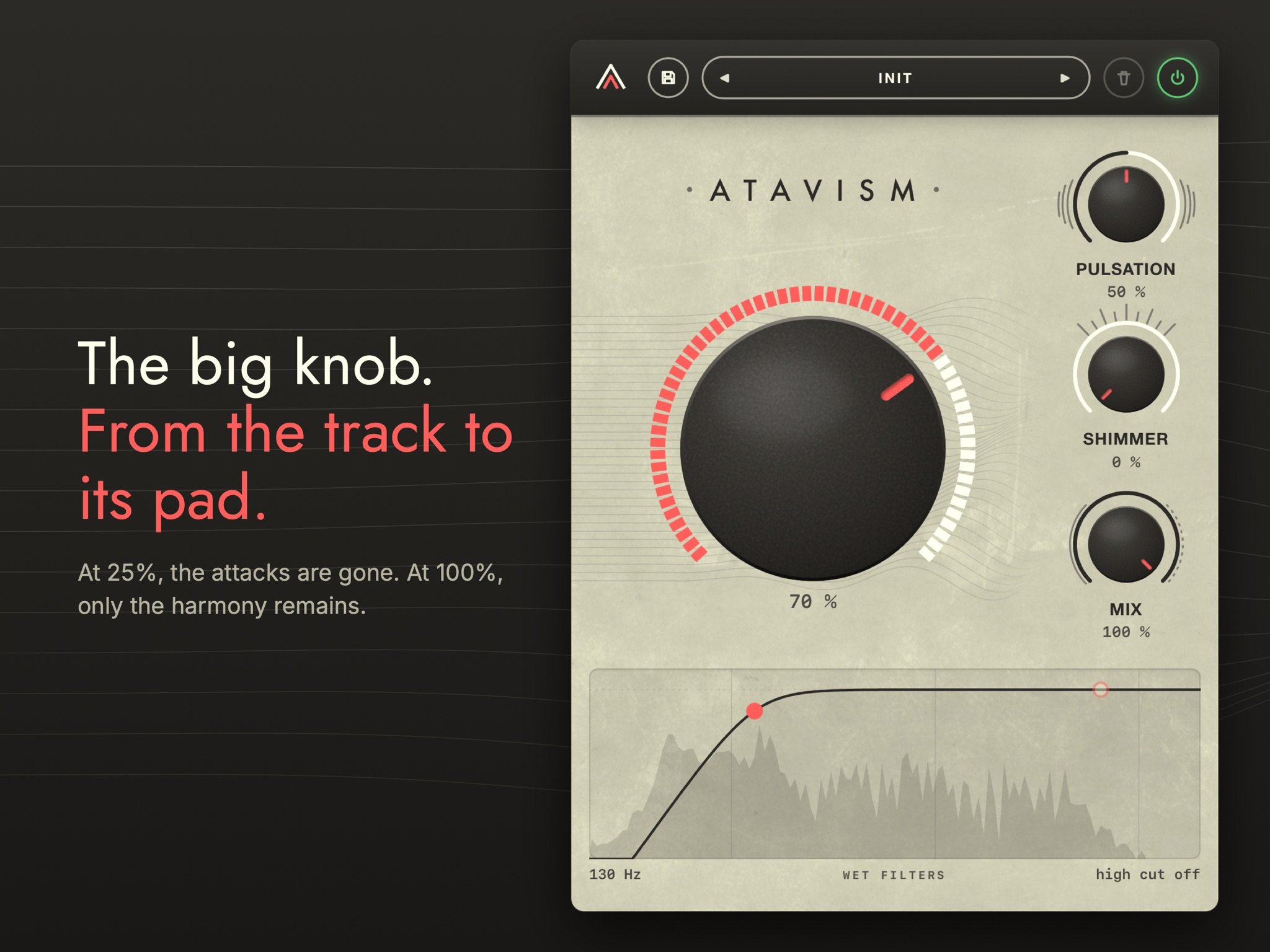 The big knob takes the track from untouched to pure harmony. Image: Parallel Minds
The controls
Atavism has very few controls, and most of the sound comes from the big knob. At 25% the attacks are gone, from 75% the second spreading stage kicks in, and at 100% only the harmony is left.
Three smaller knobs shape the result:
- Pulsation adds a slow, irregular modulation of the pad's volume that keeps a static wash from sitting still.
- Shimmer adds the upper octave to the pad, still in the key of the source.
- Mix runs from dry to wet and always stays in sync with the track. At 100% you hear only the pad. Between 35% and 60% it fills out the track, bus or master it comes from.
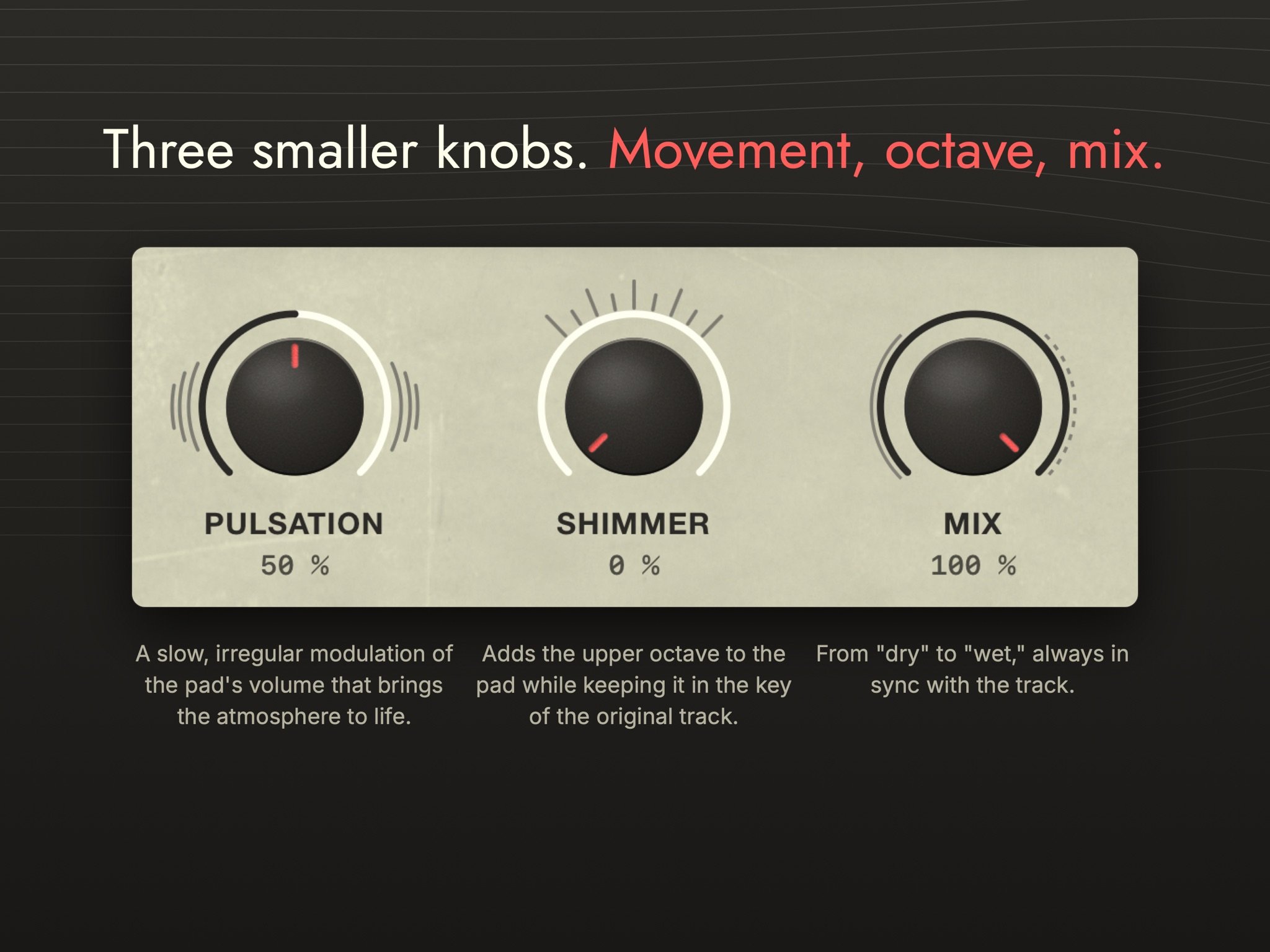 Movement, octave, mix: the three smaller knobs. Image: Parallel Minds
Two filters act on the pad alone. A low cut clears rumble, and a high cut tames the top end when leftover cymbal wash or noise gets in the way. The dry source never passes through either one.
There are eight factory presets, ranging from a subtle background blur to a full cinematic soundscape: Init, Pad, Wings, Halo, Breathing, Octave, Distant and Trace. You can save your own presets too. They're stored on the iPad and available in every host.
Working with it on iPad
Atavism runs inside your host. The standalone app only shows a help screen. Load it in a host that supports AUv3 effects, on a track, a bus or the master. The panel resizes to the space the host gives it. The knobs and filters can be automated from the host and controlled over MIDI if the host supports it.
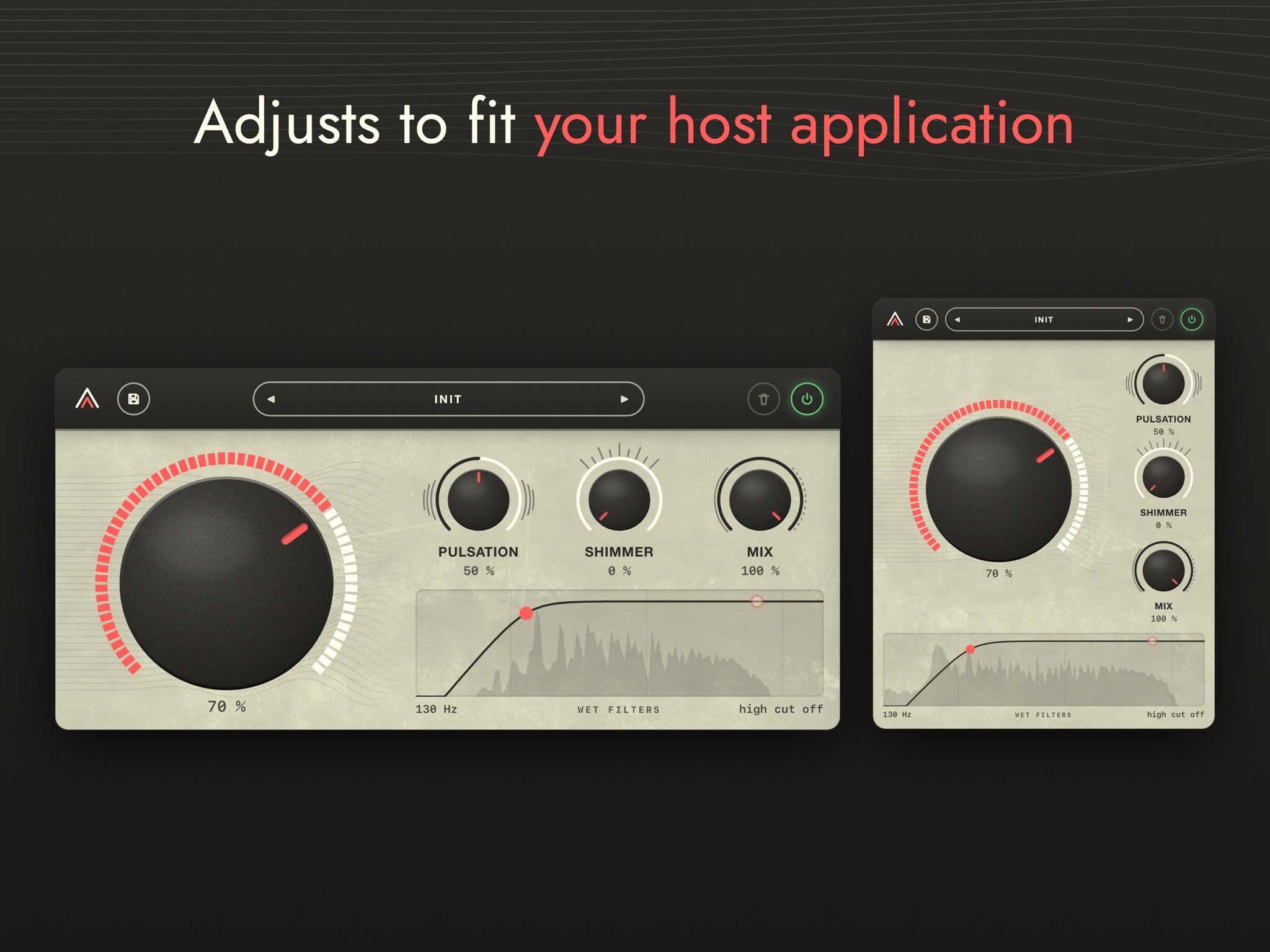 Atavism’s panel in wide and narrow layouts. Image: Parallel Minds
Atavism is built around three uses, and each one maps well onto an iPad setup:
- Under a track. Put it on a bus with Mix around 40%, and the pad sits behind the arrangement as an extra harmonic layer. On the master, it fills the gaps between drum hits with the song's own chords.
- In place of a track. Automate the big knob over the last bar of a section, and the drums melt into the chord. Use it for a transition, for an intro built from the song's own material, or keep it up for the whole track to make an ambient version of a finished song.
- On anything that resonates. A held chord, a vocal line or a simple melody turns into a floating cloud of its own harmonics when the big knob is all the way up. Try a send fed by a keys part or a vocal, add a touch of Shimmer, and use the high cut to soften the pad's top end.
If you already use a granular effect such as Celestine for ambient textures, Atavism makes a useful partner. Celestine makes grains from a rolling live buffer that you can freeze, while Atavism follows the harmony as it changes. And if you're interested in building tones from partials, 4Pockets SpectraPad takes a spectral approach to synthesis, where Atavism uses the spectrum to process audio you already have.
Who it's for
Atavism is designed for film and game composers, producers, and anyone who performs live through a send. On iPad it suits beatmakers who want a quick ambient breakdown from their own loops, songwriters sketching intros and outros, and sound designers who want pads that are guaranteed to sit in the song's key. If you want the song's harmony without its rhythm, this is the tool for that job.
The iPad app is a one-time $4.99 purchase with no account and no internet connection required, and no data is collected. The desktop plug-in is a separate $39 licence, and the two are sold separately: an App Store purchase doesn't unlock the desktop version, and a desktop licence doesn't unlock the iPad app. Find out more on the Atavism product page, or get it from the App Store.