Shabu Shabu Reverb: A Granular Reverb AUv3 for iPad and iPhone

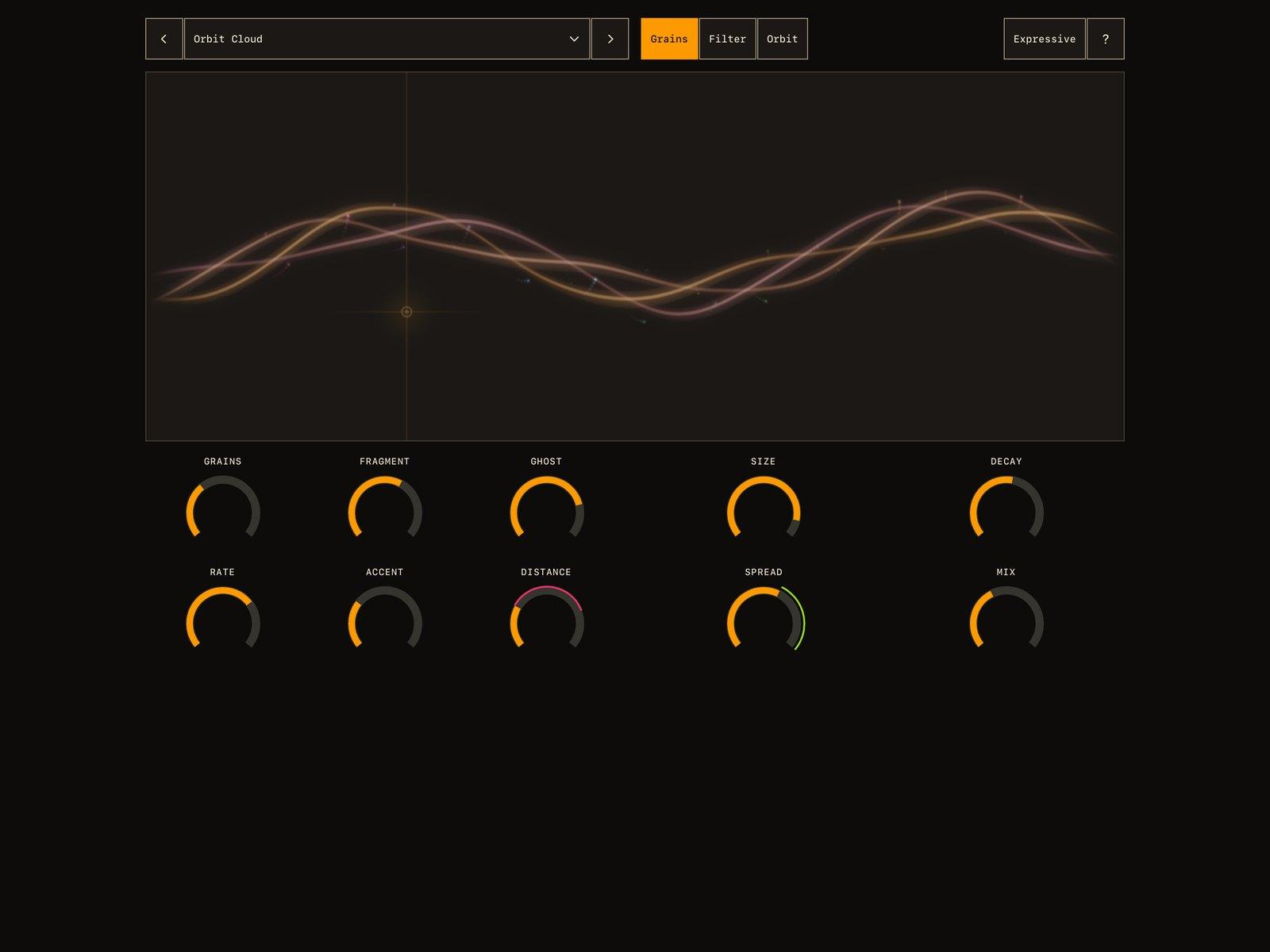
Let a chord gather a cloud, or a short phrase leave a shimmering trail. Shabu Shabu Reverb scatters a sound into glimmering fragments, sets them in motion and lets the room carry them away. Under the hood, a stereo granulator sits before an algorithmic reverb, with a touch field for carving the grains and two Orbits that put the controls into motion.
Shabu Shabu Reverb is the new AUv3 audio effect from Amy McBride of FishtailMIDI, the developer behind Vesper, the living synthesiser that turned up in our October roundup. It was released on November 17 for iPhone and iPad.
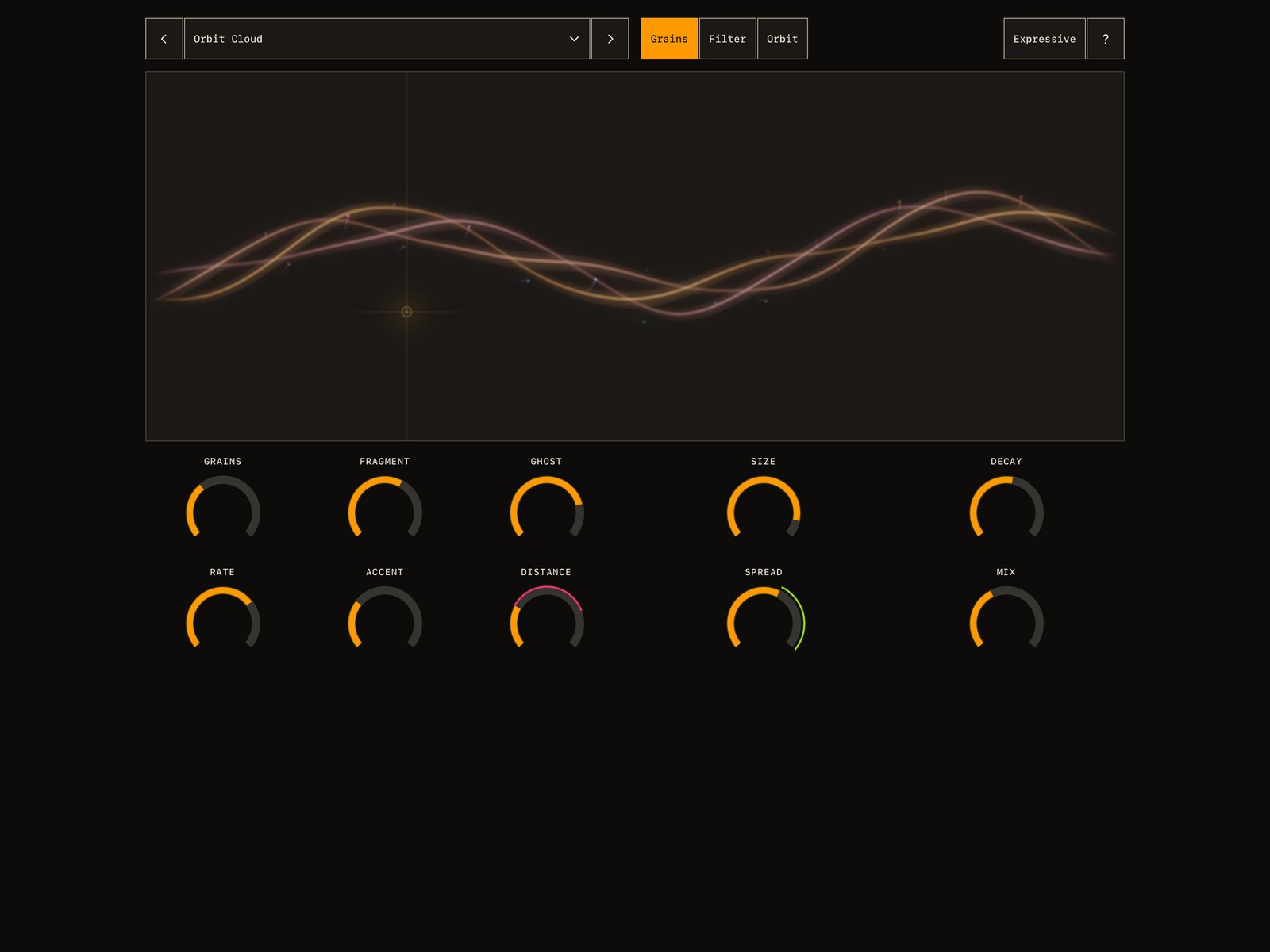 The dark iPad interface, with a pink ring around Distance and a green ring around Spread. Image: FishtailMIDI
A granulator in front of a room
A stereo granulator comes first, and an algorithmic reverb follows it. The reverb is built around eight-line feedback delay networks, so the reverberation is generated in real time rather than reproduced from a recorded room through convolution.
There is a real room in the background, though. Acoustic measurements from eight impulse responses recorded in the Adam Concert Room at Te Kōkī New Zealand School of Music served as a reference for the reverb's tonal balance and decay, and the early reflections are measured from those recordings. The responses were captured in 2011 by Florian Hollerweger, Bridget Johnson, Jason Post and Stuart Macann. The room informed the design without defining it. Shabu Shabu is a creative effect, not a recreation of that hall.
Leave just a trace of grains for a subtle halo around the source, or let them tumble into a long, generous reverb tail.
Ten gauges
Ten round gauges form the main control panel, laid out in two rows.
- Grains brings the fragments in, from a trace to a full cloud.
- Fragment sets grain length, from short flecks to longer threads.
- Ghost lifts the cloud into a shimmer or sinks it into a lower voice.
- Rate runs from a gentle scattering to a busy rush.
- Accent gives the grains a little pulse and emphasis.
- Distance reaches further back into the sound.
- Size opens up the room.
- Decay sets how long the space lingers.
- Spread gathers the grains in close or lets them wander across the stereo field.
- Mix sets the final reverb blend, bringing the reverb forward or keeping the sound near.
Raise Grains to bring the granulator into action.
Ghost
Ghost adds a layer up to an octave above or below. Try the upper range on a pad, or explore the lower range with a vocal or lead line.
Try it: play a sparse piano part, set Fragment toward longer grains and raise Ghost. Compare shorter and longer Decay settings to find space between the notes.
Carve with the touch field
Above the gauges is the touch field, a visual panel where a braided waveform and the grains respond to the sound. It's also a controller with two modes, picked from the tabs at the top.
In Grains mode, sweeping sideways reaches through the sound and sweeping upwards brings more fragments into the cloud. In Filter mode, the field switches to cutoff and resonance: sideways moves between shadow and brightness, and upwards brings out a ringing edge.
Two Orbits
The Orbit tab holds two modulators, a pink Orbit 1 and a green Orbit 2. Each has its own waveform display, FREE and SYNC buttons, and RATE, DEPTH and SHAPE gauges. Free lets an Orbit wander in its own time. Sync locks it to your host's tempo. Between them you get slow tides, rhythmic patterns and less predictable motion.
To assign one, hold a gauge and choose the pink or green Orbit. A small amount gives a gentle sway, and turning the amount the other way reverses the movement.
The Orbits can also act on each other. One can change the other's rate, depth or shape for more complex movement.
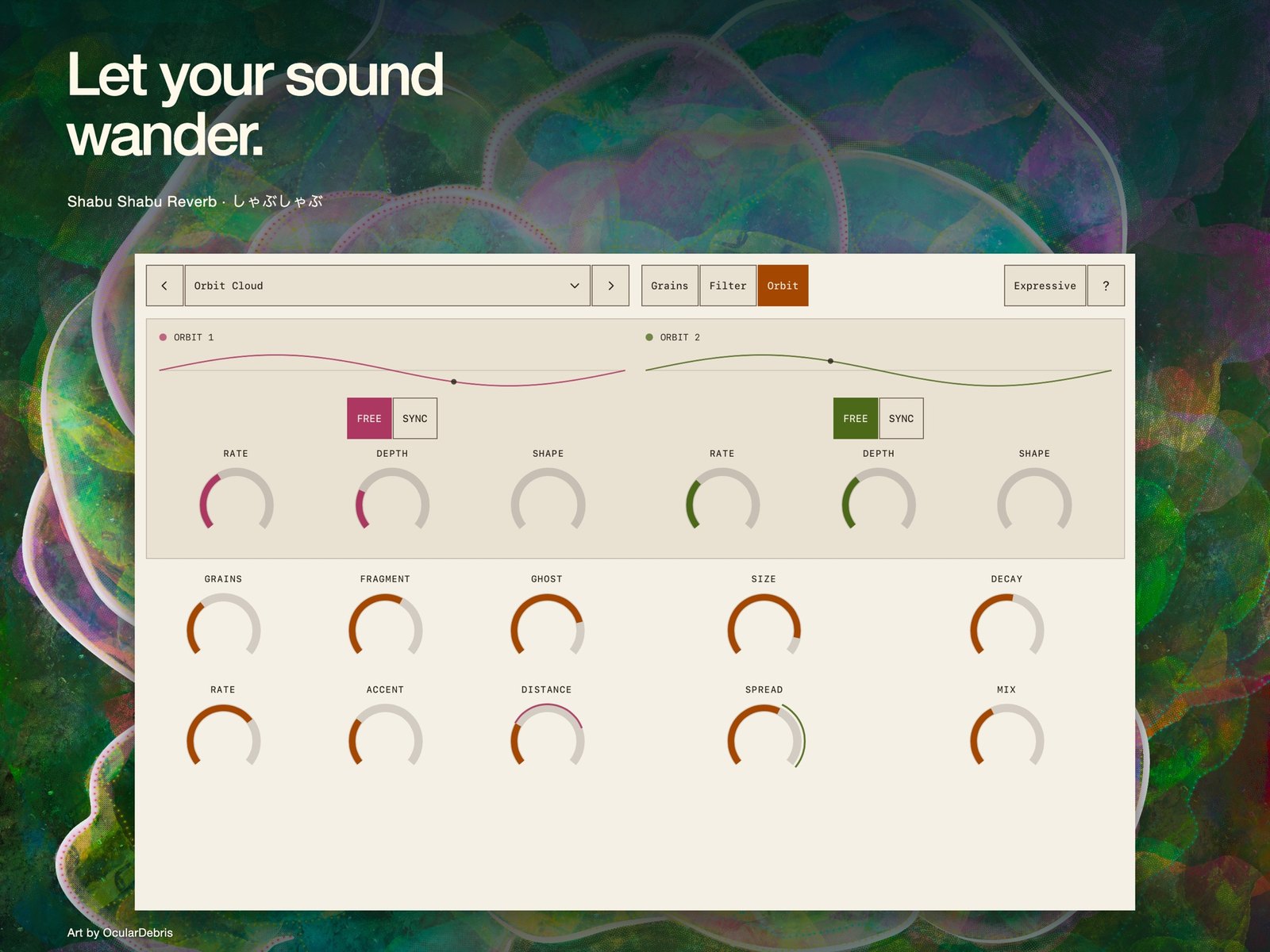 The Orbit tab, with two modulators above the main gauges. Image: FishtailMIDI
Try it: put Orbit 1 on Spread in Free mode at a slow rate, and Orbit 2 on Accent in Sync mode. Then let Orbit 1 move Orbit 2's depth, so the rhythmic pulse swells and fades.
Presets, MIDI and views
Seventeen presets ship with it, starting with しゃぶしゃぶ, the first in the list. They include Cinematic Dissonance, a set of eight presets by Elastic July. The preset menu saves your own discoveries and exports them to share.
Hold a gauge to assign an Orbit or learn a MIDI controller.
The visuals offer Expressive, Calm and Still views. Artwork by OcularDebris accompanies the controls, shown here in dark and light themes.
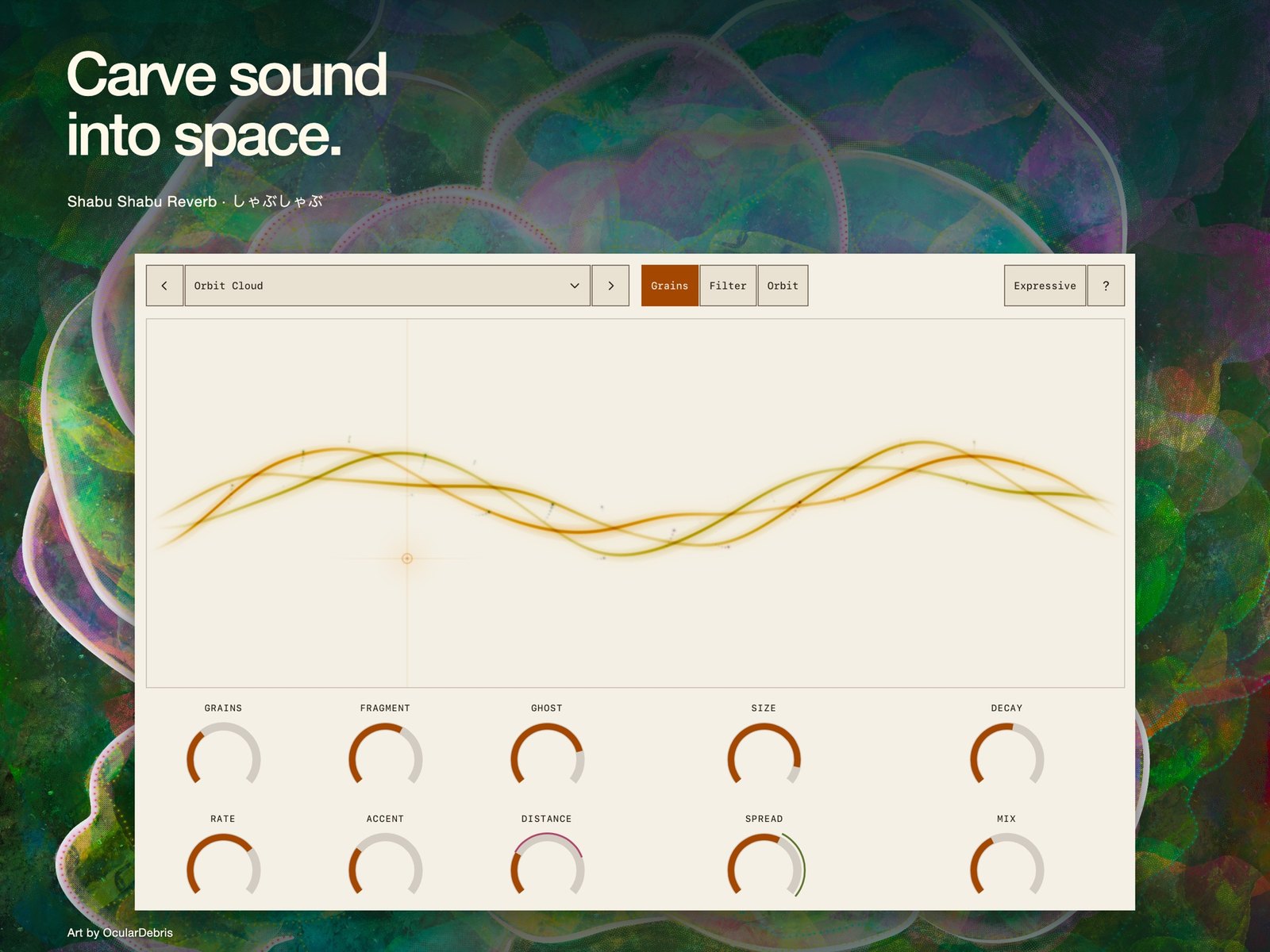 The light theme, set against OcularDebris artwork. Image: FishtailMIDI
In your host
Shabu Shabu Reverb processes audio inside a compatible AUv3 host such as AUM or YumBar. The standalone app holds the welcome screen, a small guide and support links. Drop the effect into an audio effect slot, send audio through it, pick a preset, then raise Grains to bring in the granulator. FishtailMIDI has posted demos of it running in YumBar on both iPhone and iPad.
Try it: run a short drum loop through it with Size small, Fragment short and Rate busy, and use the touch field in Filter mode to sweep the grains between shadow and brightness.
For a different take on live granular processing, see Celestine. If you want shimmer inside a larger ambience chain, MIDGAR is the other recent pick.
Price and availability
Shabu Shabu Reverb costs $19.99 on the US App Store, and one purchase covers iPhone and iPad. It needs iOS or iPadOS 17 or later and an AUv3 host. There are no subscriptions, in-app purchases, ads or tracking. The Mac edition, Shabu Shabu 'Verb, is a separate purchase at $49.99 in the US and runs on Apple silicon Macs with macOS 13 or later in hosts such as Logic Pro. Visit FishtailMIDI for the guide and demos.
Shabu Shabu Reverb suits ambient and soundtrack producers who want granular processing, long tails and modulation in one effect, with touch control at the centre of the workflow.