Sandbender: Audio Damage's Four-Operator FM Synth Arrives on iPad and iPhone as an AUv3

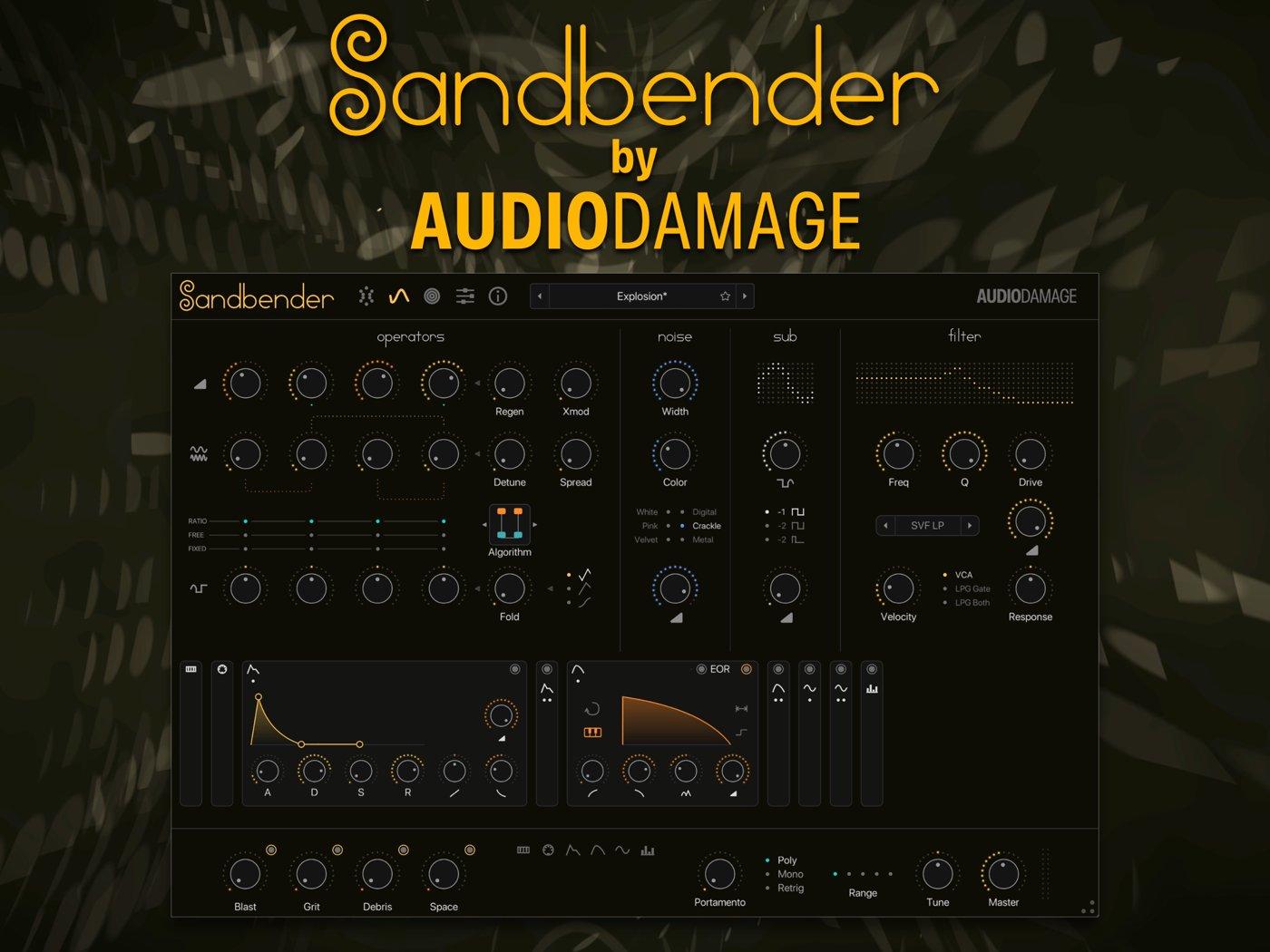
FM synthesis has carried the same reputation for decades. Musicians love the sound, few enjoy programming it, and most FM heard has been a factory preset nobody dared touch. As Audio Damage puts it, "Touching it was a fast way to turn an electric piano in to a fax machine."
Sandbender is the company's attempt to make FM programming less of a chore. The new four-operator FM synth launched on macOS, Windows, Linux and iOS together, reaching the App Store on November 9, and on iPad and iPhone it runs as a standalone app and an AUv3 instrument.
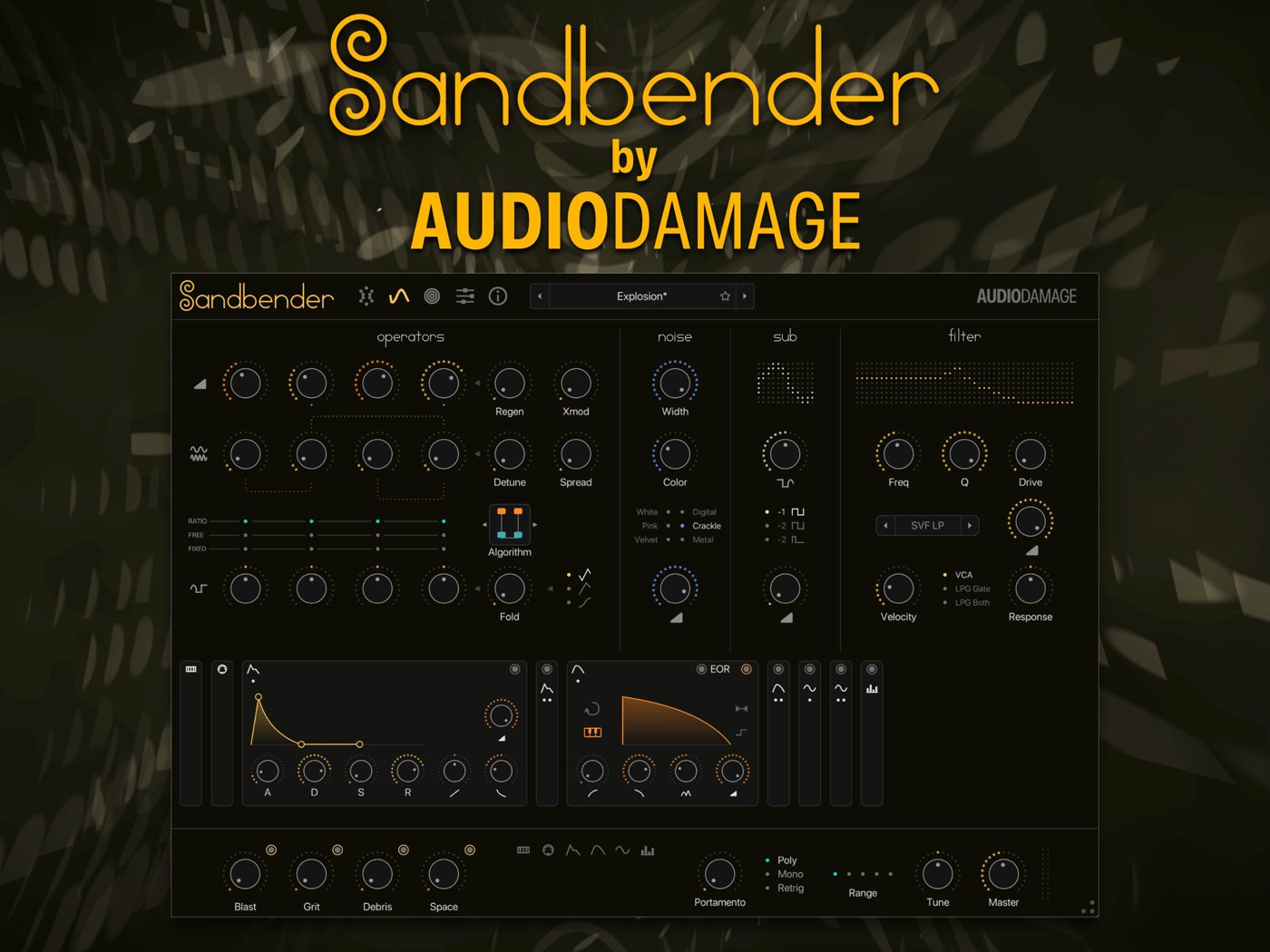 The main page on iPad, with the four operators, noise and sub generators, filter and low pass gate, modulation panels and the four-macro strip along the bottom. Image: Audio Damage
Four operators, then wavefolding and filters
In Sandbender, the four operators are where a patch starts rather than where it ends. "If all you want is a nice FM bell, I'm happy to report that Sandbender makes a very nice FM bell," Audio Damage writes. "It just seems a shame to stop there."
The operator section offers ten factory algorithms alongside an algorithm designer for drawing custom routings, and any operator can sound and modulate at the same time. Each operator tunes by harmonic ratio, free ratio or fixed frequency, while global Xmod, Regen, Detune, Spread and a 32' to 2' Range operate across the entire stack.
Every operator includes a one-knob Warp shaper that morphs its waveform from triangle through sine to pulse. The wavefolder, with symmetric, asymmetric and soft clip modes, works on what you hear and leaves the modulation alone, so it adds harmonics without rearranging the FM sidebands.
Beside the operators sit a divider sub clocked by operator 1, providing one octave down, two octaves down or a two-octave pulse with its own Warp shaper, and a noise generator with six modes (White, Pink, Velvet, Digital, Crackle and Metal), each with Color and stereo Width controls.
The voice continues into a stereo per-voice filter with eleven models spanning state-variable, ladder, diode and Sallen-Key designs in low pass, high pass and band pass configurations, complete with resonance and Drive. At the end of each voice sits either a plain VCA or a modeled low pass gate driven by the amp envelope: one gate mode stays close to clean, the other ties brightness to loudness for a plucky, woody decay, and velocity closes either mode.
Pairing a wavefolder with a low pass gate pulls West Coast shaping directly into an FM voice, a combination iPad players also saw recently in Pittsburgh Modular's Voltage Lab V. Anyone who wants FM alongside other synthesis engines in one instrument can also look at STPZMX.
Try it: build a simple ratio-tuned FM patch, switch the output stage to the low pass gate mode that ties brightness to loudness, and gradually raise the wavefolder to stack extra harmonics onto the pluck without disturbing the FM sidebands.
Drag-and-drop modulation, per-voice sequencing and MPE
Modulation is handled visually. Drag any source from the modulation rail onto a knob, dial in a bipolar depth, and watch the knob move in real time. Four renameable macro knobs sit on the strip beneath every page, ready to drive anything in the patch and to be automated from the host.
Each voice has two ADSR envelopes with attack and fall curve controls (one dedicated to amplitude, one assignable) and two function generators that rise and fall on trigger, cycle as LFOs, or slew any other source, with a gate output that goes high on the fall. Two LFOs run free or host-synced with delay and per-note retrigger.
Sandbender also includes a 16-step sequencer that runs per voice. Each step carries a value and a gate, with adjustable length, forward, reverse, pendulum and random playback directions, and up to a second of slew. It can run on its own internal clock, sync to the host, or take a clock from any modulation source, either restarting with each note or free-running so voices drift out of step.
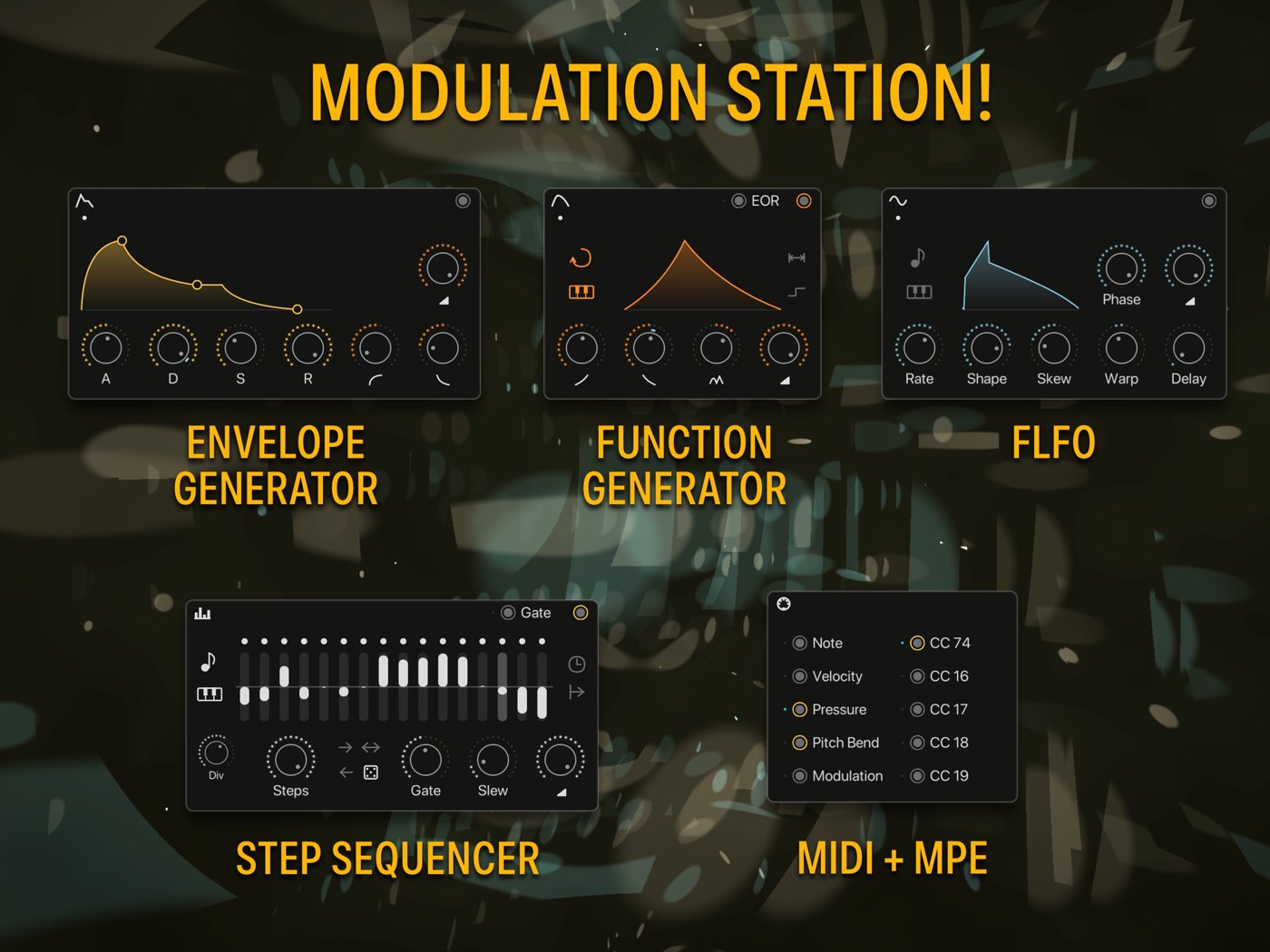 Modulation sources span envelopes, function generators, LFOs, a per-voice 16-step sequencer and MIDI/MPE inputs. Image: Audio Damage
MIDI and expressive sources sit in the same rail: velocity, key tracking, mod wheel, pressure, pitch bend and five assignable MIDI CCs. Full MPE covers per-note pitch bend, pressure and slide on CC 74, making Sandbender a natural target for MPE controllers such as Glinster. Microtuning is supported through .tun files.
GENETICS and six reorderable effects
When you want new timbres without editing operator ratios by hand, GENETICS treats preset creation as a branching tree. Toggle which sections of the patch are allowed to mutate (Operators, Oscillator, Sub & Noise, Filter, Envelopes, Modulation, Effects and Voice), tap REGEN, and Sandbender grows a family tree of variants from the current sound, each a few named changes away from its parent. Tap any node to hear it, double-tap to breed a fresh generation from that branch, and tap APPLY to keep the winner.
The effects page brings together six classic Audio Damage processors that can be dragged into any order, each with its own mix control:
- Kombinat, with thirteen distortions
- Phasetwo dual phaser
- Quatromod's flanger, chorus, diffusor and frequency shifter
- Dubstation delay
- ADverb, with Plate, Ambience and Hall reverbs
- Evil Otto multiband compression
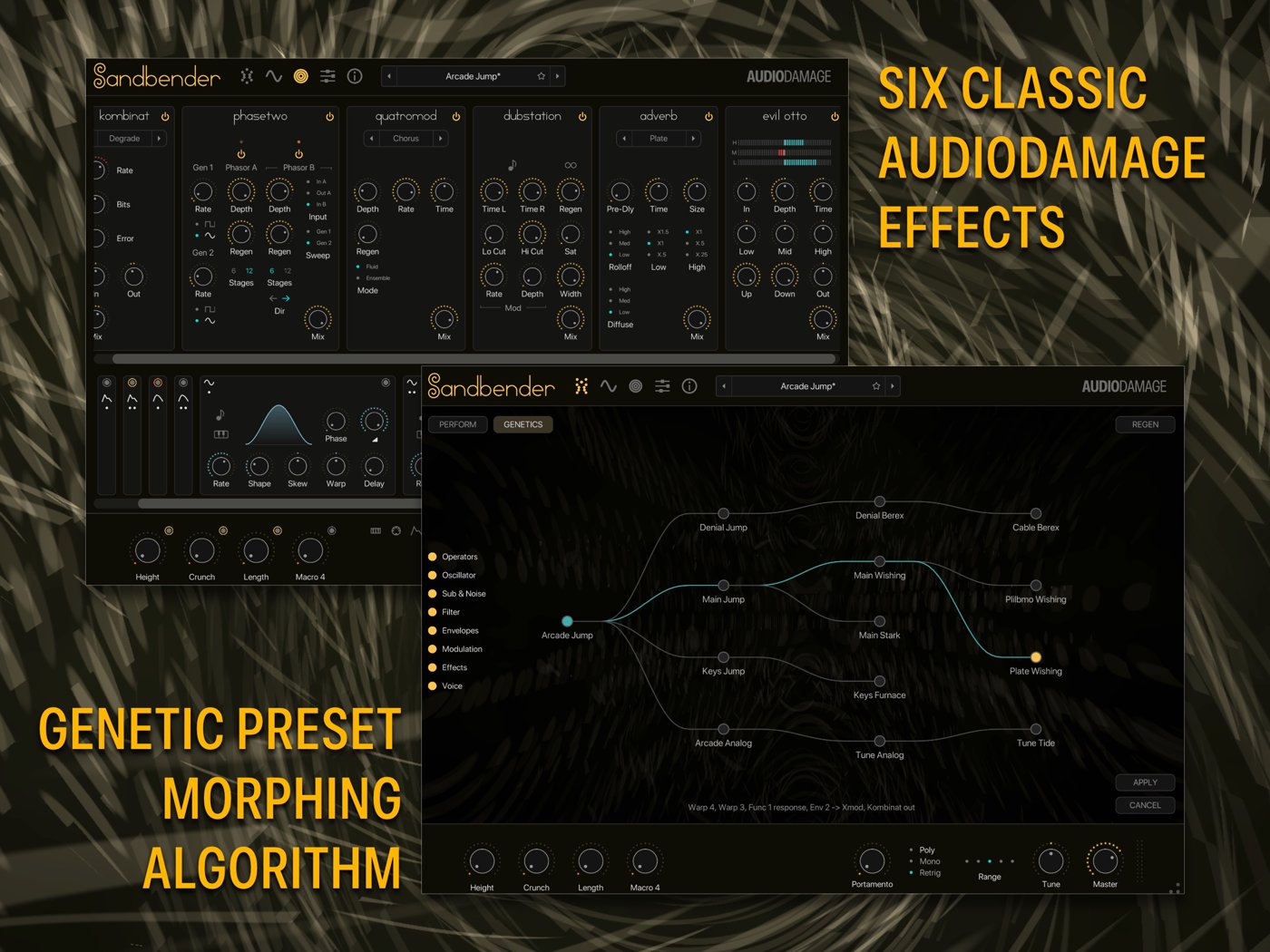 The six reorderable Audio Damage effects sit behind the GENETICS overlay, which breeds new variants from the active preset. Image: Audio Damage
PERFORM and gesture recording
The PERFORM page puts two nodes on a full-page touch surface. Each node's X and Y axes can be pointed at a macro, a synth parameter, the filter or an effect's mix, letting you move four destinations simultaneously with two fingers.
Below the surface sits a tempo-synced gesture loop recorder spanning 1 to 8 bars. Record your finger movements, let them play back in time with the track, and save the recorded gestures directly with the preset.
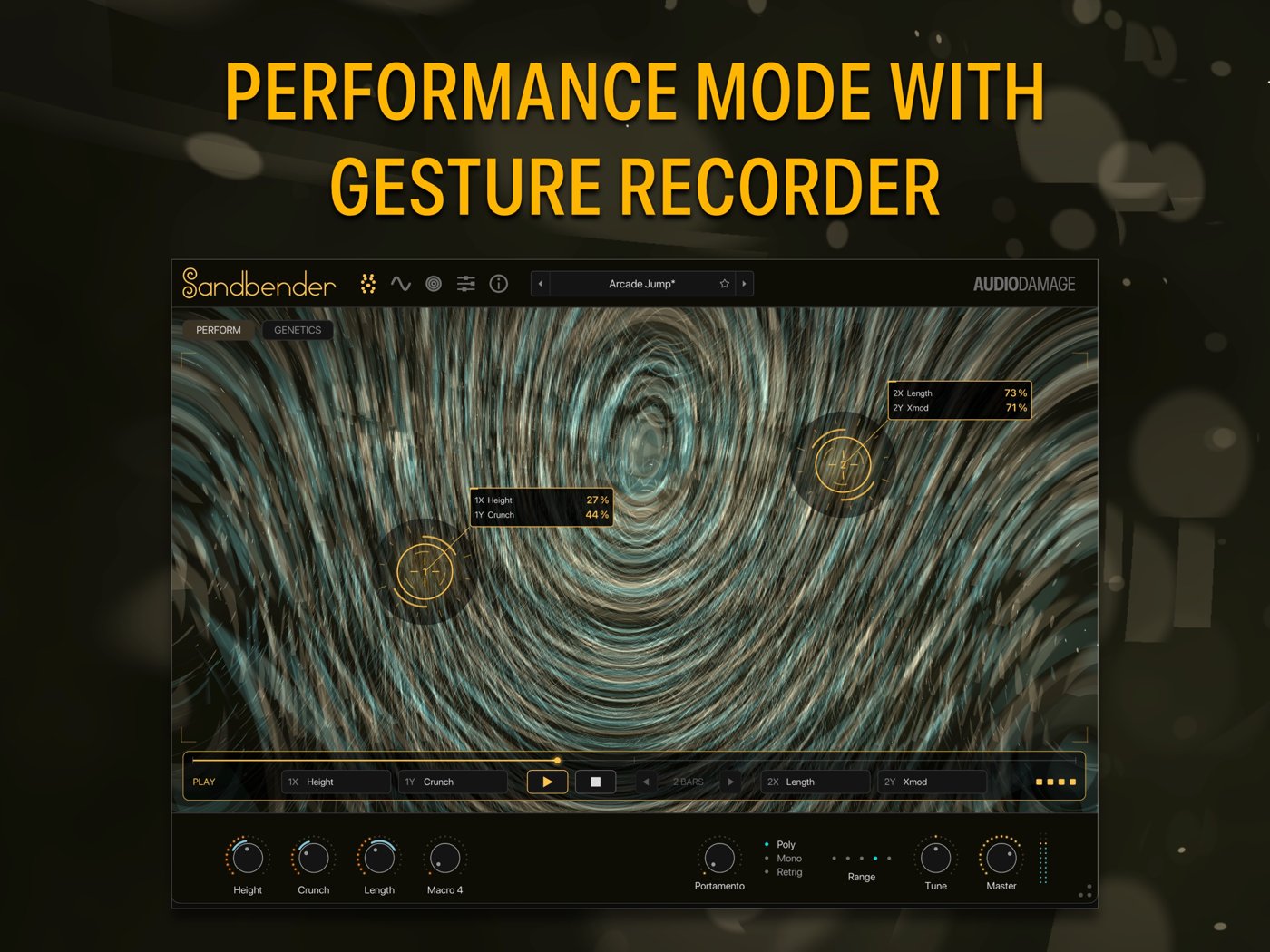 PERFORM pairs two multi-touch XY nodes with a tempo-synced 1 to 8 bar gesture recorder that saves with the preset. Image: Audio Damage
SoundForMore's iOS walkthrough
SoundForMore's iOS walkthrough and demo shows Audio Damage's Sandbender running as an AUv3 instrument.
Voices, presets and iOS updates
Sandbender runs with eight voices in poly, mono or retriggered mono mode, with portamento, an output limiter and selectable 1x to 8x oversampling. On iPhone and iPad, the main page also offers an on-screen keyboard option.
It ships with over 260 factory presets organised into nine categories: Vintage FM, Basics, Bass, Keys, Pads, Dubstep, Ambient, MPE and FX. The preset browser adds a 3D tag cloud for finding patches by tag and author.
Version 1.0.3, released on November 18, addressed several early iOS issues: it fixed file open dialogs for .tun files and preset import and export in some hosts, eliminated preset-scrolling crashes, fixed scrolling in the modulation source and destination panels on iOS, enlarged the modulation routing drag dots, and fixed MPE on iOS.
Price and availability
Sandbender costs $6.99 on the US App Store. It is a universal purchase for iPad and iPhone, including both the standalone app and the AUv3 instrument for compatible hosts. It requires iOS or iPadOS 16 or later and takes up about 48 MB.
The desktop version costs $99 from Audio Damage as a perpetual license with no DRM, no subscriptions and no dongles, covering macOS (CLAP, VST3, AU and AAX), Windows (CLAP, VST3 and AAX) and Linux (CLAP and VST3). A fully functional desktop demo runs with a 20-minute session timer and saving disabled. Desktop and iOS are separate purchases.