Little Wave Machine: Snorkel Audio's Classic Subtractive Synth for iPad and iPhone, Now with Wavetables

Plenty of iPad synths try to reinvent synthesis. Little Wave Machine is happy to do the classic thing very well: three oscillators and noise into two resonant filters, an amp envelope, some modulation, some effects, and a keyboard. What makes it worth a look is how much character Snorkel Audio has packed into that familiar signal path, and how quickly it has grown since launch.
Snorkel Audio is a small independent studio in Berlin run by Michael Kaisser, whose catalogue already includes the two-signal mangler Wave Collider, the Little Arp Monster arpeggiator, Disto Disco and the generative Snorkel instrument. Little Wave Machine arrived on the App Store on November 13 as a universal standalone app and AUv3 instrument for iPhone and iPad; VST3 and AU versions for Mac and Windows are also available. Version 1.0.4 followed on November 22 and added the feature that changes its scope the most: wavetables.
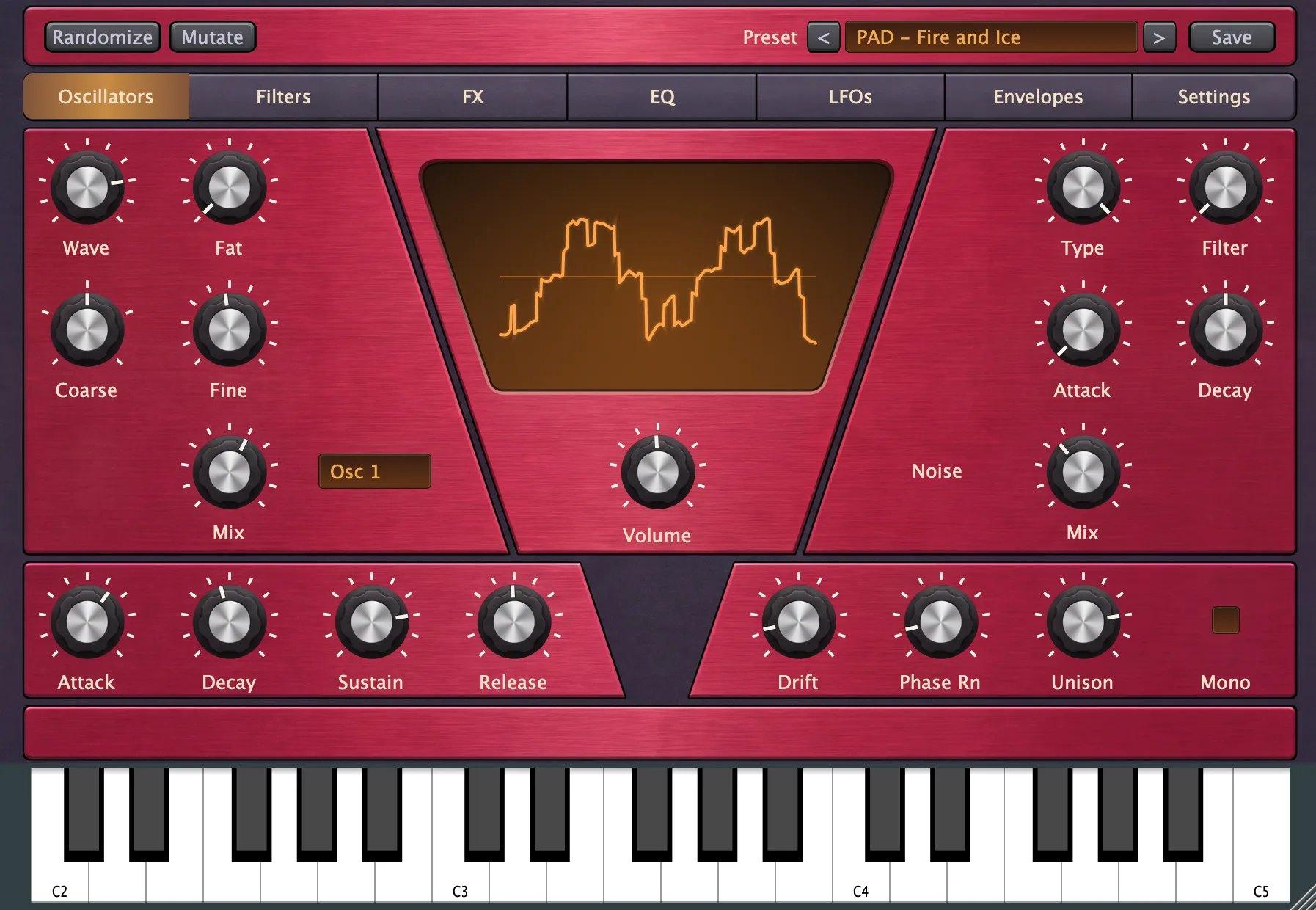
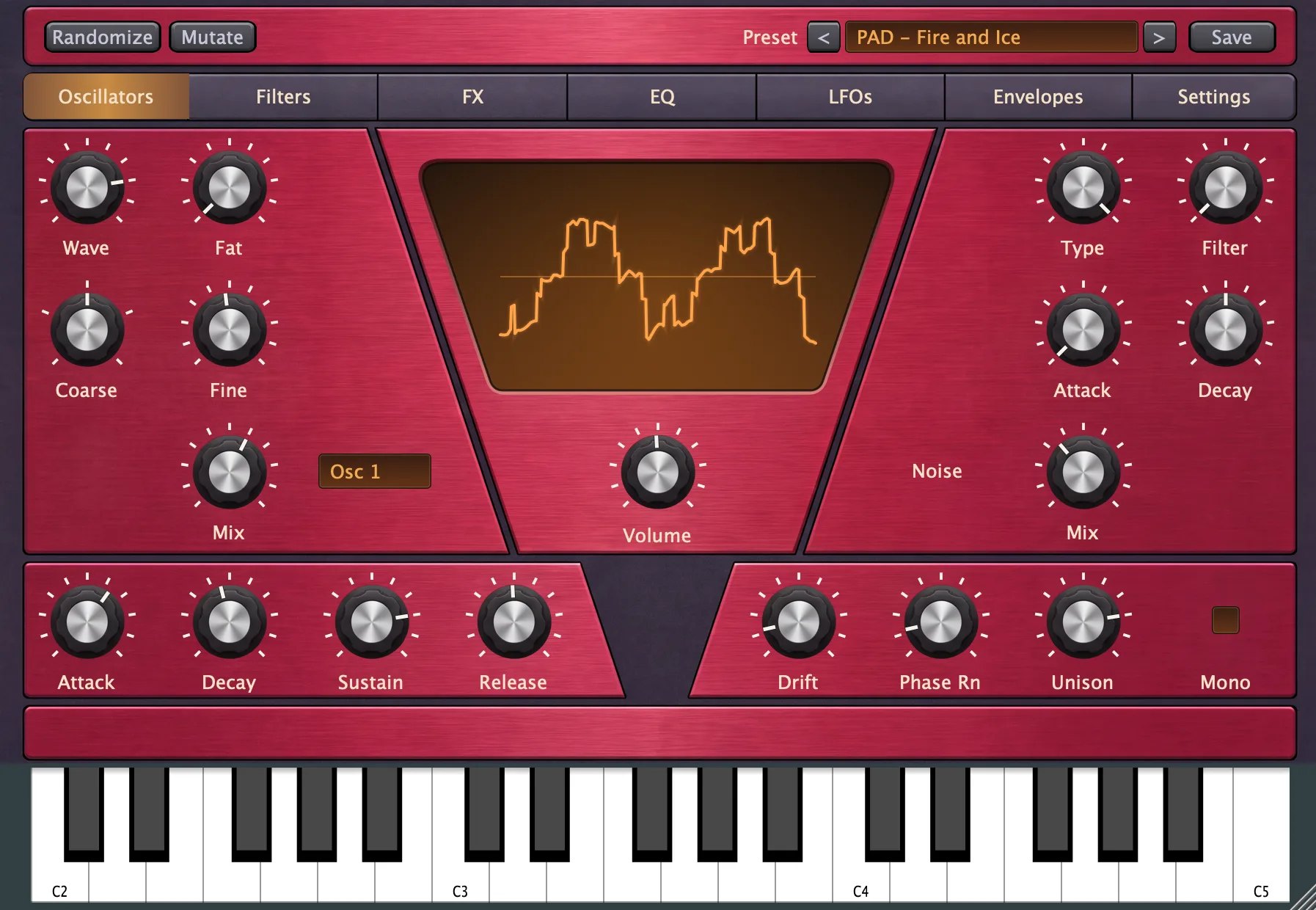 The Oscillators tab in the default Furia Rossa theme. The amber display combines all three oscillators and noise into one animated waveform. Image: Snorkel Audio
Three oscillators, now with tables
Each of the three oscillators has Fat, Coarse, Fine and Mix controls, plus a Position dial. On the Original table, Position morphs from sine through saw to square, the raw, punchy shape the synth launched with. Version 1.0.4 adds twelve more tables per oscillator, and each one can be chosen independently:
- Classic, a cleaner, level-matched sine-saw-square morph
- Hollow, Reed and Pulse for woody, nasal and thin pulse-width tones
- Metal for a sparse, metallic buzz and Glass for bright partials over a quiet body
- Soft, which opens into a mellow organ, and Grain, which turns a sine airy and grainy
- Sync, a hard-sync sweep that sharpens as Position rises
- Triangle, Vowels, which sings through A, E, I, O and U, and Wavefold, which folds a sine harder and harder
The tables sit at a similar loudness, so switching mostly changes the tone rather than the level. The table choice itself is not automatable, but Position is, and pointing an LFO at it is where the new tables come alive. The factory bank now includes one showcase preset per table, each sweeping Oscillator 1 with LFO 1, which is the quickest way to hear what each one does.
Noise gets its own section rather than being an afterthought. A single Type dial morphs from white through pink to a focused band, a high-pass Filter thins it out, and its own Attack and Decay let it act as a breathy transient, a chiff on a pluck or a continuous layer under a pad.
The analog character controls sit at the bottom right. Drift adds slow pitch wander, Phase Rnd changes where each note starts in the waveform so repeated notes never sound quite identical, and Unison thickens all three oscillators on top of their individual Fat settings. Mono with last-note priority and Slide are there for basslines and leads.
Two filters, twelve modes, six kinds of dirt
The Filters tab is the heart of the synth. Filter 1 and Filter 2 are identical, each with its own cutoff envelope, and you can run either one alone, both in parallel with a mix control, or one into the other in series.
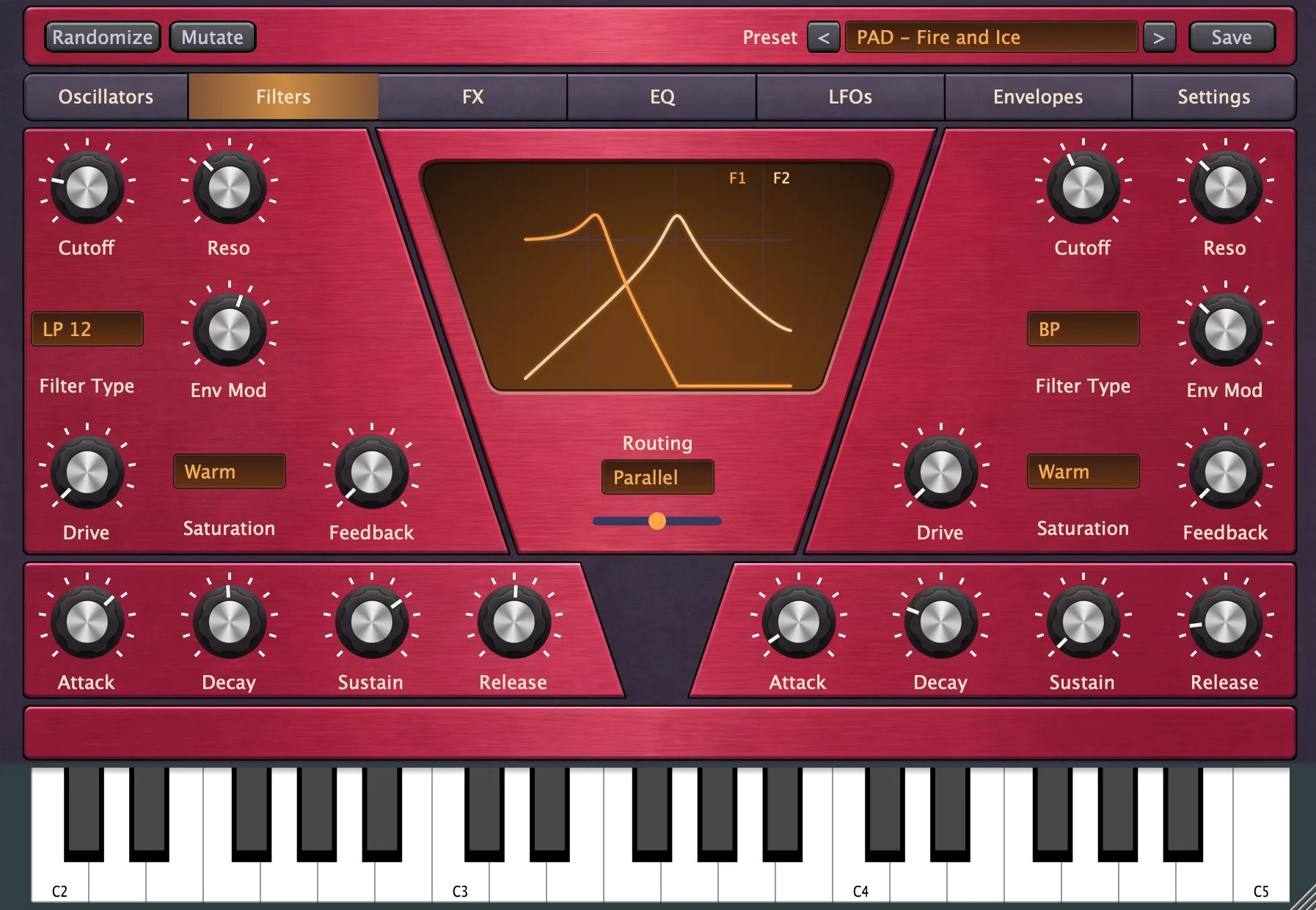 Two filters in parallel, a 12 dB low-pass and a band-pass, each with its own cutoff envelope. Image: Snorkel Audio
Each filter offers twelve responses: 6, 12, 24 and 36 dB low-pass slopes, a TPT 12 dB low-pass, 12 and 24 dB nonlinear ladder modes, an 18 dB diode mode built for squelch, plus band-pass, high-pass, notch and a tuned comb. The ladder and diode modes are voiced as characterful models in their own right rather than copies of specific instruments, and Drive pushes their internal stages as well as the output stage. The standard resonant modes can self-oscillate above a resonance of 1.
Every filter also has its own saturation stage, with six characters: Warm, Tube, Hard, Fold, Rectify for an octave-up buzz, and Crush for coarse digital grit. Run two filters in series with different saturation on each and the range runs from round, polite pads to properly nasty acid lines.
Try it: choose the Diode 18 dB mode on Filter 1, lower the cutoff, turn Env Mod up, and set a short filter decay with low sustain. Switch on Mono with a little Slide, set the arpeggiator to a Straight rhythm at a 1/16 Rate with 100% Gate, and consecutive notes glide into a bassline. Filter 1 also stores a hidden Accent amount, reachable through host automation, which, when set above zero, adds extra sweep and a touch of resonance to notes played above half velocity.
Modulation, effects and EQ
Four LFOs and four modulation envelopes share one target list that covers almost everything: oscillator Position, tuning and Fat, noise, the amp envelope, Drift and Unison, filter type, cutoff, resonance and drive, and most of the effect and EQ controls. LFOs 1 and 2 are the full-featured pair, with ten waveforms including Sample & Hold, Smooth Random, Drift and a four-swing Impulse, host sync from 1/16 to 16 bars, and modes that restart per note, play once, fade out over one, two, four or eight cycles, or rise in. LFOs 3 and 4 are simpler free-running helpers. Envelopes 1 and 2 are full ADSRs, while 3 and 4 are attack/release shapes for quick pitch blips and swells.
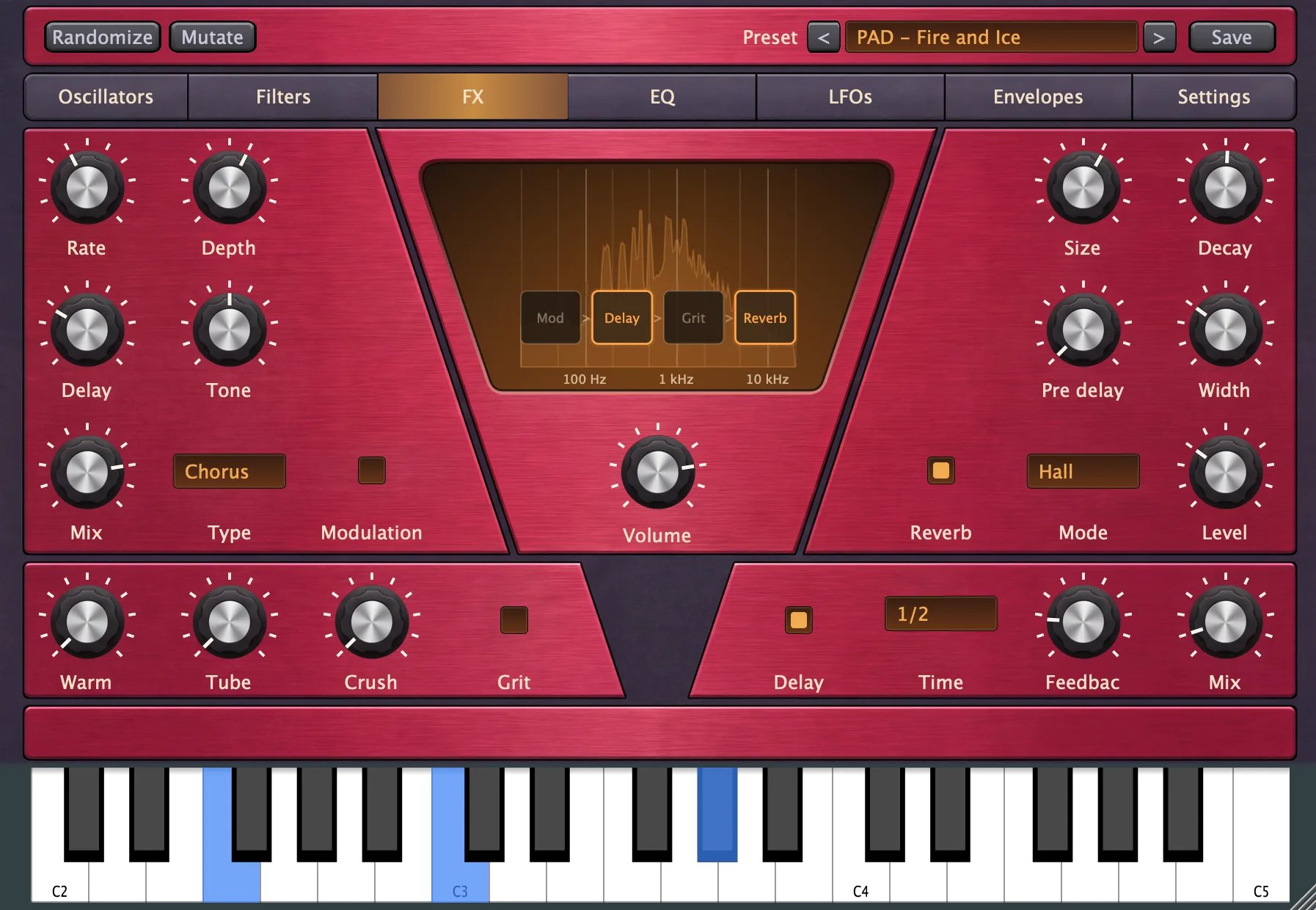 The FX tab: modulation, delay, grit and reverb over a live spectrum of the output. Image: Snorkel Audio
The effects chain runs modulation, delay, grit, reverb, then EQ. The modulation slot switches between chorus, flanger and phaser. The delay syncs from 1/16 triplets to a whole note. Grit blends Warm and Tube drive with a bit and sample-rate Crush, and because it sits after the delay, it dirties the echoes as well as the dry notes. The reverb has seven modes: Hall, Room, Plate, Bright, Shimmer, a Ducked mode that pulls the tail down while you play, and a Gated mode. A four-band EQ with low and high cuts closes the chain, with a live spectrum behind its curve.
Arpeggiator, presets and help
The arpeggiator is more musical than the usual up-down-random box, which is no surprise from the developer of Little Arp Monster. A Chord setting expands each held key into an octave, power chord, triad, seventh, sus4, open voicing or bass-plus-triad. Mode then plays the pool as held notes, repeated chords or one of 11 pitch orders, including Outside In, Inside Out and Bass Alternate, while a separate Rhythm setting adds swing, shorter cycles of 3, 5, 6 and 7 steps, Charleston, tresillo and cinquillo figures, and accent patterns. Rate, octave range, Gate and Latch round it out, and version 1.0.4 made all of the arp settings automatable from the host.
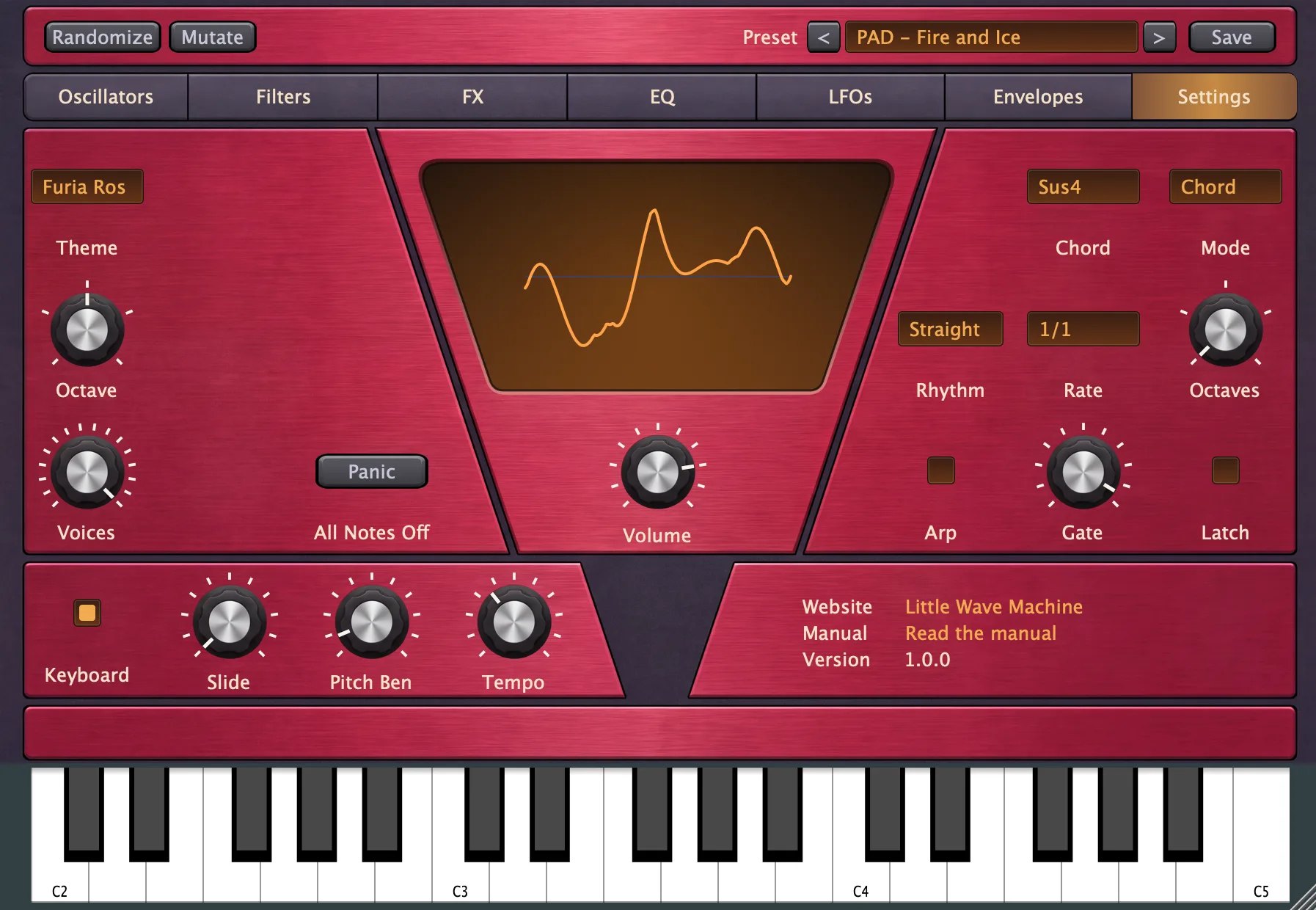 Settings and the arpeggiator, with chord expansion, pitch pattern and rhythm set independently. Image: Snorkel Audio
There are 125 factory presets across Bass, Lead, Pad, Pluck, Keys, Organ, Brass, Bell, Arp, Drone, Percussion and FX, plus a User bank. Randomize rolls a new patch and Mutate makes a smaller variation of the current one, and both leave your EQ and table choices alone. Touch any dial or menu and a strip below the controls explains what it does, which makes the synth an easy one to learn on. Three themes are included, Furia Rossa, Dark and Light, and the polyphony limit runs up to 16 voices.
On iPhone, turning the phone sideways gives you the full desktop arrangement, while portrait switches to a compact four-panel view with a two-octave keyboard in the standalone app.
If you are building a set of AUv3 synths in AUM or Konstrukt, Little Wave Machine is a natural everyday subtractive voice next to something more exotic, such as the four-operator FM of Sandbender. And if the diode filter has you thinking about squelchy basslines, our round-up of acid bassline apps for iPad is a good next stop.
Price and availability
Little Wave Machine costs $1.99 on the US App Store. One purchase covers iPhone and iPad, including the standalone app and the AUv3 instrument for hosts such as AUM, Cubasis and GarageBand. It needs iOS or iPadOS 15 or later and takes up about 51 MB.
The Mac and Windows version (VST3, AU and standalone) is a separate purchase from Snorkel Audio, with a free demo that includes every control. The full online manual is worth bookmarking, as it covers every parameter.